
7 Ways AI Coding Agents Boost Developer Productivity
Explore how AI coding agents enhance developer productivity by streamlining workflows, reducing errors, and automating repetitive tasks.
Quick navigation
AI coding agents are changing how developers work by saving time, improving code quality, and automating repetitive tasks. Here's a breakdown of how these tools are helping developers achieve more in less time:
- Faster Development: Developers report 55% shorter cycles and 88% higher productivity.
- Error Reduction: AI tools reduce human errors and identify bugs quickly.
- Automation: Repetitive tasks are completed 96% faster.
- Learning Support: They provide explanations and help developers understand unfamiliar codebases.
- Context Awareness: These tools analyze entire projects to align with coding styles and goals.
Top tools like CodeRide, GitHub Copilot, and TabNine integrate directly into popular IDEs, offering real-time suggestions and project-specific insights. From generating code to debugging, AI agents are transforming workflows, freeing developers to focus on solving complex problems.
Quick Comparison:
| Tool | Key Feature | Supported IDEs | Productivity Gains |
|---|---|---|---|
| CodeRide | Full project context and task automation | VS Code, JetBrains | Streamlines workflows |
| GitHub Copilot | Context-aware code suggestions | VS Code, Visual Studio | 12–22% more PRs/week |
| TabNine | Deep workspace analysis | VS Code, JetBrains, Eclipse | 45% productivity boost |
| Amazon CodeWhisperer | AWS-specific code generation | VS Code, JetBrains | 57% faster task completion |
| Kite | Real-time completions and documentation | VS Code, JetBrains | Reduces context switching |
| DeepCode | AI-powered static code analysis | VS Code, JetBrains, Eclipse | 84% faster issue resolution |
| Codex | Natural language to code translation | GitHub Copilot integration | Tasks completed in minutes |
AI coding agents are becoming essential tools for modern development, helping teams deliver faster and with fewer errors while maintaining high-quality standards.
Does AI Actually Boost Developer Productivity? (100k Devs Study) - Yegor Denisov-Blanch, Stanford

How AI Coding Agents Improve Developer Productivity
AI coding agents have transformed the way developers approach their work, moving far beyond the basic autocomplete tools of the past. While traditional tools might suggest variable names or simple snippets, these advanced assistants analyze your entire project. They understand your goals, coding style, and specific requirements by leveraging cutting-edge AI techniques [2]. This leap in functionality has opened the door to a range of productivity benefits.
One of their standout features is the ability to interpret natural language instructions. Instead of writing detailed specifications, developers can describe their needs in plain English, and these agents will generate, refine, or even debug code based on those instructions [1].
What sets modern AI agents apart is their context-aware intelligence. They don’t just process isolated inputs - they analyze project descriptions, interpret comments, and capture developer intent. This allows them to produce code that aligns with your unique style and project goals. The result? More precise outputs and consistent adherence to style guidelines [2].
Another major advantage is their ability to take over time-consuming, repetitive tasks. These agents can handle everything from intelligent code suggestions and autocompletion to bug detection and automated error correction. They quickly flag syntax issues, logical errors, and runtime problems while ensuring your code remains clean and properly formatted.
AI agents also integrate effortlessly into popular Integrated Development Environments (IDEs), offering real-time, inline suggestions and contextual guidance [7]. Here’s a quick look at how some of the leading AI assistants integrate with common IDEs:
| AI Assistant | IDE Integration |
|---|---|
| GitHub Copilot | VS Code, Visual Studio, JetBrains [6] |
| Amazon Q Developer | JetBrains IDEs, VS Code [6] |
| CodeGPT | Visual Studio Code, JetBrains IDEs, Cursor [4] |
Take CodeRide, for example. Unlike tools that work with isolated code snippets, CodeRide analyzes the entire codebase. This holistic understanding of your project ensures that it maintains consistency, adheres to your architecture, and generates code that aligns with your specific requirements. The result is not just functional code but code that integrates seamlessly into your project.
The impact of these tools is being felt across industries. In sectors with high AI adoption, labor efficiency has seen growth rates up to 4.8 times higher [3]. These tools don’t just save time - they spark innovation by offering real-time insights and suggesting improvements that might otherwise go unnoticed.
Beyond productivity, AI coding agents are also powerful learning tools. They provide contextual explanations, help developers understand unfamiliar codebases, and assist with adopting new frameworks [2]. This dual role as both assistant and educator streamlines workflows and accelerates learning curves.
The developer community has enthusiastically embraced these advancements. Surveys reveal that 96% of developers are excited about the potential of AI coding agents to enhance their workflows. Nearly two-thirds believe these tools help them write better code, deliver updates faster, and boost creativity and problem-solving skills [5].
1. CodeRide: Full Project Context and Smart Task Management
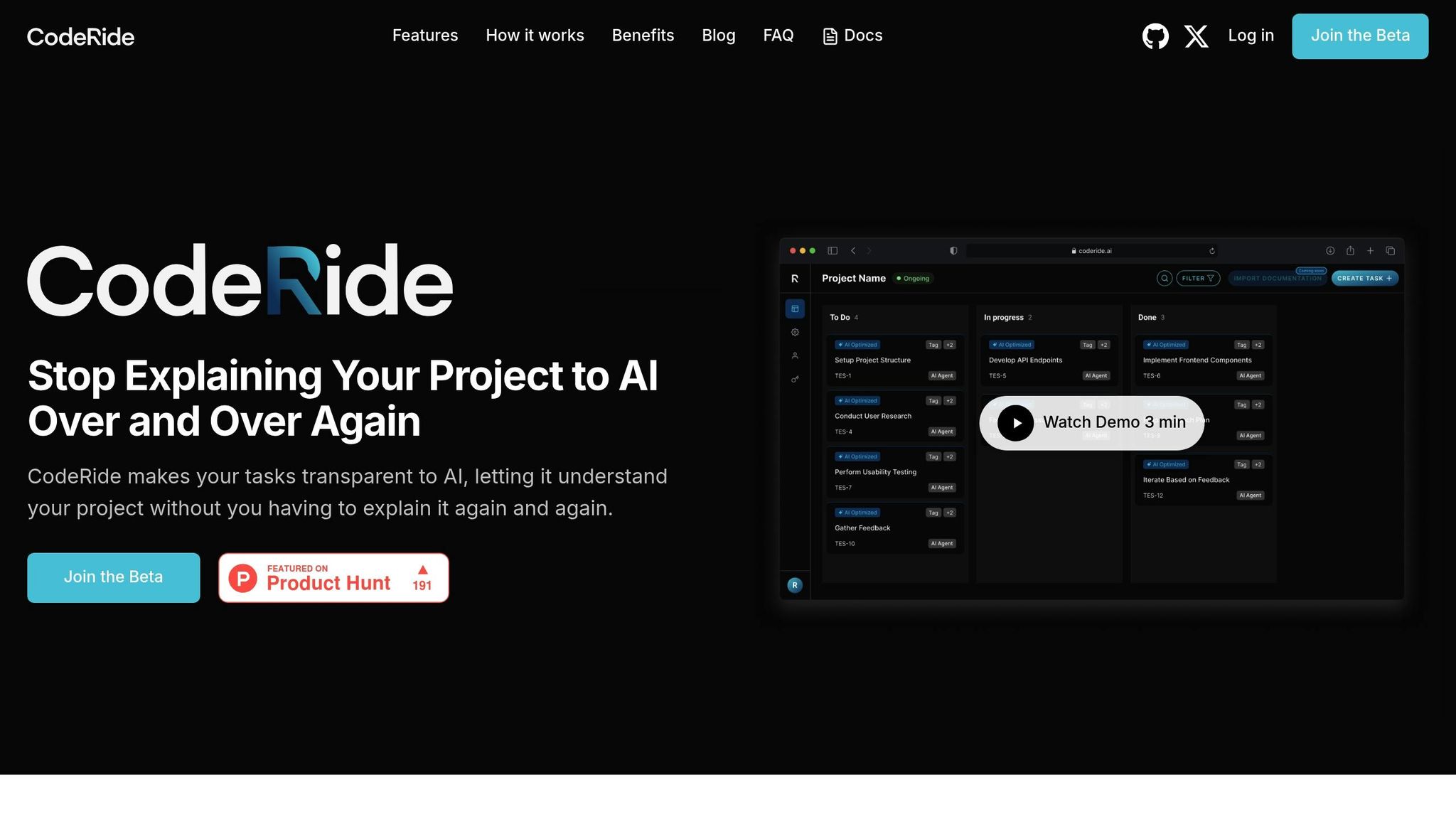
CodeRide is an AI-powered coding assistant designed to understand your entire project structure, making it easier to integrate new code seamlessly into your existing codebase. By analyzing the full context of your project, it ensures that the generated code aligns with your architecture, dependencies, and coding standards.
Contextual Awareness of Your Codebase
When you request a new feature or need a bug fix, CodeRide doesn’t just generate generic code snippets. Instead, it considers your project's specific requirements and coding style. This approach minimizes the risk of integration issues and ensures that the new code fits smoothly into your existing framework. The result? A consistent and reliable codebase.
Integration with Popular IDEs
CodeRide integrates directly into your favorite development environments using the Model Context Protocol (MCP). This allows you to access its features without disrupting your workflow or switching between tools. Supported IDEs include popular platforms like VS Code and GitHub Copilot.
To enable MCP integration, you’ll need to configure your IDE settings by adding details such as your CodeRide API key and any required environment variables. Once set up, CodeRide becomes a natural part of your coding environment.
Automating Repetitive Tasks
One of CodeRide’s strengths lies in its ability to handle repetitive tasks that often slow down development. Its AI-driven task optimization breaks down complex requirements into clear, actionable steps. This includes tasks like updating documentation, refactoring code to align with style guidelines, and ensuring new features adhere to project standards. By automating these processes, developers can devote more time to solving bigger challenges.
Enhancing Developer Workflow
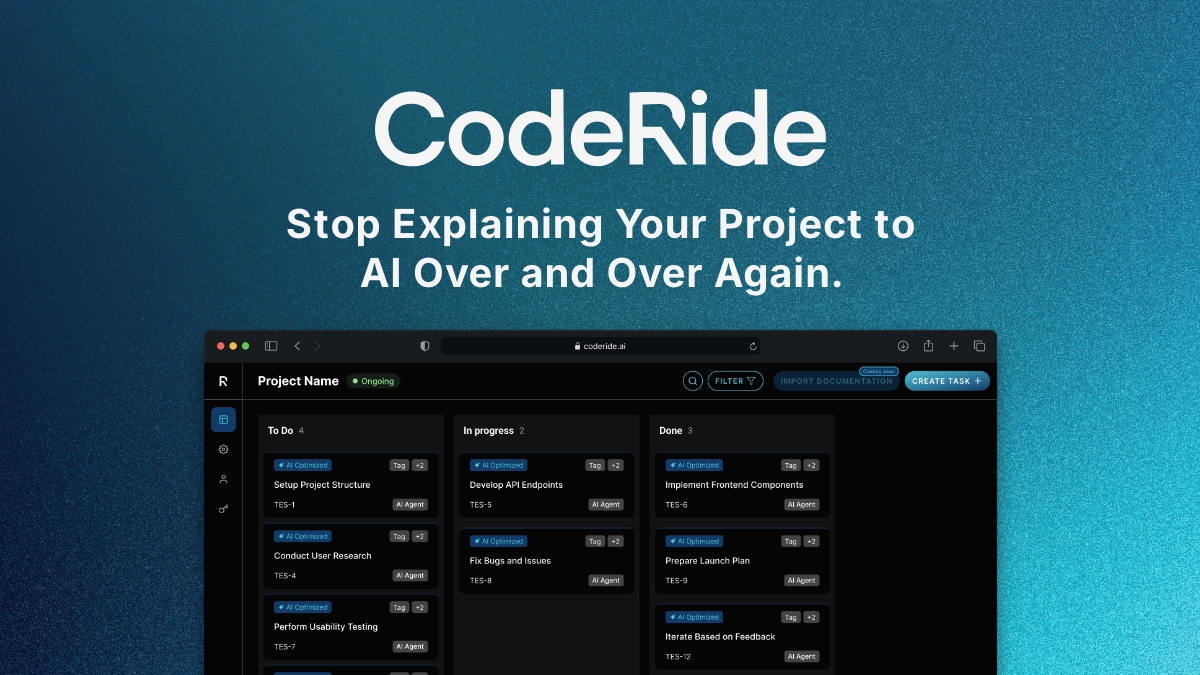
With its smart task management and autonomous development capabilities, CodeRide simplifies the process of implementing new features while maintaining architectural consistency. Developers no longer need to repeatedly explain project requirements - CodeRide already understands the broader goals and constraints of your project.
Currently available in free beta, CodeRide offers developers a powerful combination of full project context, task automation, and seamless integration with various IDEs. It’s a step forward in delivering truly context-aware AI assistance for modern development workflows.
2. GitHub Copilot: AI-Powered Code Suggestions
GitHub Copilot is reshaping how developers write code by offering intelligent, context-aware suggestions that align with your project structure and personal coding habits. Unlike basic autocomplete tools, this AI assistant provides recommendations that seamlessly integrate into your workflow, making coding faster and more intuitive.
Understanding Your Codebase
GitHub Copilot excels at understanding your workspace in its entirety. It analyzes the current file and related files to grasp the overall structure of your project - classes, methods, and properties - delivering suggestions that fit naturally into your code.
For instance, if you're working with object-oriented programming and editing a class hierarchy, like a Circle class inheriting from Shape, Copilot can suggest methods such as Circumference that logically align with geometric concepts. This level of contextual awareness ensures that its recommendations match your existing code patterns and design decisions.
Over time, Copilot adapts to your coding style. If you often add log entries at the start and end of methods, it will recognize this pattern and suggest similar log entries tailored to the current context. This personalized approach makes its suggestions feel like a natural extension of your development process.
Seamless Integration with IDEs
GitHub Copilot integrates directly into popular development environments like VS Code, blending into your existing workflow without causing disruptions.
To get the most out of Copilot, keep related files open in your editor. This gives the AI additional context, enabling it to generate more accurate and relevant suggestions. You can also use the @workspace command to pull in symbols and files from your workspace, enhancing its understanding of your project's scope.
Streamlining Repetitive Tasks
Copilot shines when it comes to automating repetitive tasks. By providing clear examples, you can teach it specific patterns or coding standards used across your project. It can even generate complete function implementations from descriptive comments, saving you time and effort.
For example, typing a comment like // Oval is a Shape class that inherits from Circle and overrides the Area method followed by starting a class definition prompts Copilot to generate the class implementation based on your description. This capability not only speeds up coding but also ensures consistency across your project, freeing you up to focus on more complex tasks.
Enhancing Developer Workflow
"Autocomplete makes a good attempt at suggesting code; when it's context aware it becomes very powerful." - John Miller [8]
3. TabNine: Context-Aware Autocompletions
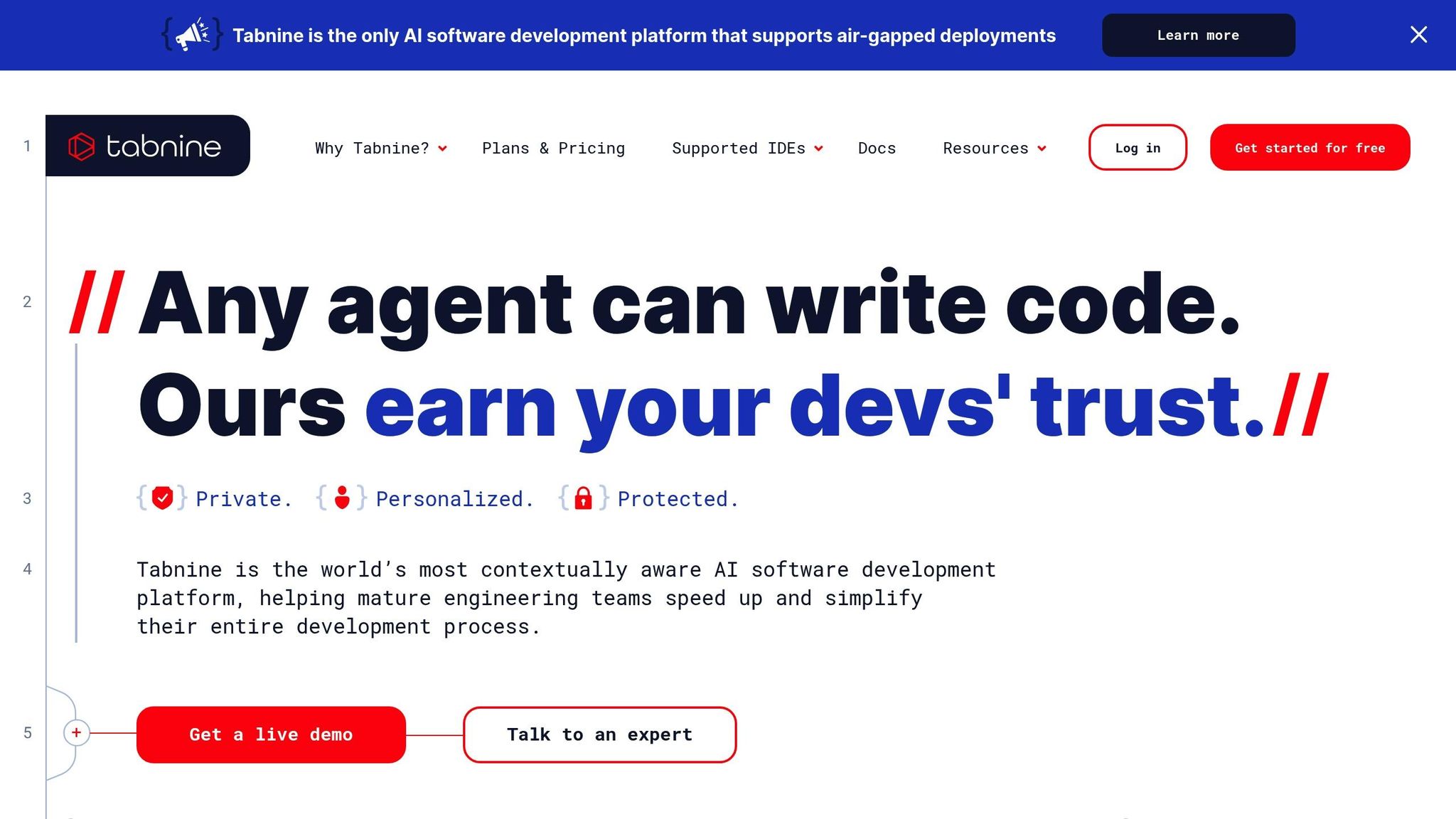
TabNine takes code completion to the next level by analyzing your entire workspace. Unlike basic autocomplete tools, it goes beyond surface-level suggestions, offering completions that align with your APIs, frameworks, and coding habits.
Understanding Your Codebase
TabNine’s standout feature is its ability to deeply understand your codebase. It analyzes everything within your IDE - like variable types, comments, open files, imported packages, and even entire projects - to provide contextually relevant suggestions [11]. This means it doesn’t just guess; it tailors its recommendations to match your coding patterns and organizational standards. With RAG technology, TabNine adapts to the specific characteristics of your team’s code. Developers can refine its suggestions further by tagging unopened files, classes, or methods using the "@" symbol in TabNine Chat, ensuring the AI focuses on the most relevant parts of the codebase [11].
Streamlining Repetitive Tasks
TabNine takes the hassle out of repetitive coding. Its single-line suggestions, which developers at CI&T accept 90% of the time, have been shown to boost productivity by 11% [10]. As Kevin Tuuri, Solutions Architect at Sada, shared:
"I like looking at TabNine's widget dashboard and seeing how much of my code was generated by TabNine. The percentage is always insanely high, cause I just hit Tab, Tab, Tab and I've got my code. Love working with it." – Kevin Tuuri, Solutions Architect, Sada [10]
Beyond single-line completions, TabNine offers whole-line suggestions, full-function completions, and even turns comments into code [9]. These features can cut routine coding time by up to 30% and reduce style violations in code reviews by about 60% [12]. It doesn’t stop there - TabNine can also help with generating tests, explaining code, fixing bugs, and creating documentation, all within your IDE. This level of automation fits perfectly into its project-aware approach, making it a trusted companion for developers.
Seamless Integration with IDEs
TabNine supports over 30 programming languages and integrates with popular IDEs like VS Code, JetBrains, Eclipse, and Visual Studio. It’s easy to set up through marketplace extensions and works without disrupting your workflow [12]. Wisang Eom, Managing Director at LG Electronics, highlighted its utility:
"TabNine provides impressive code completion functionality and helps boost your development productivity. It works seamlessly with most of the popular modern IDEs." – Wisang Eom, Managing Director, LG Electronics [10]
Teams can also configure shared settings to enforce coding conventions across IDEs, ensuring consistency and reducing the need for extensive training.
Transforming Developer Productivity
With over a million active users every month and a 90% suggestion acceptance rate, TabNine has proven its ability to enhance productivity by up to 45% [12]. As one developer noted:
"Love the help I get from TabNine when coding. It is very useful. It also learns from my existing workspace which is a plus to maintain the same coding standards." – Jayeshkumar P., VS Code Marketplace review [10]
TabNine’s context-aware completions demonstrate just how much AI can reshape and elevate the coding experience, making development faster, smoother, and more efficient.
4. Amazon CodeWhisperer: AI-Assisted Development for AWS
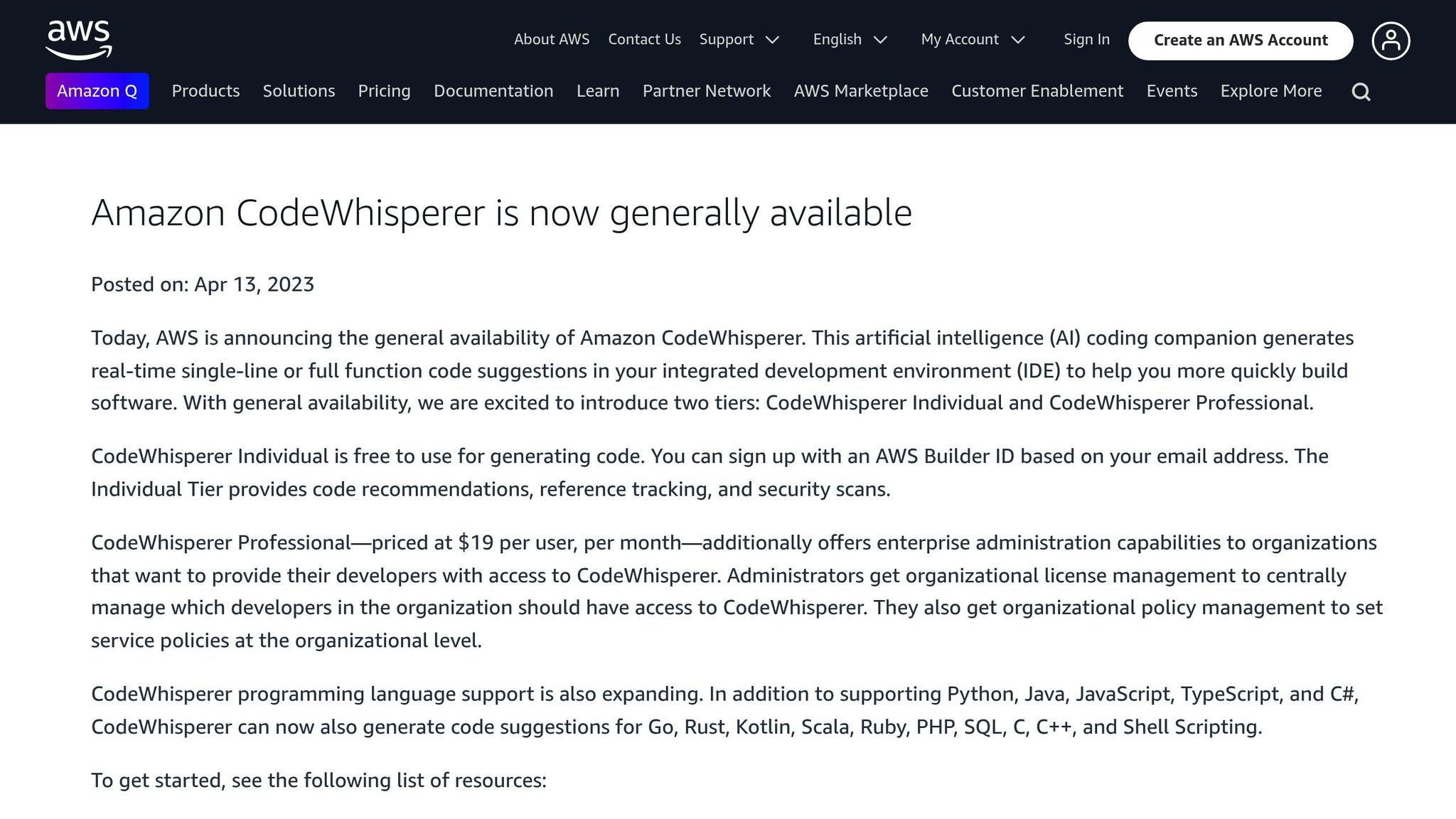
Amazon CodeWhisperer is an AI-powered coding tool designed specifically for AWS workflows. It analyzes your codebase while adhering to AWS best practices, making it a valuable companion for developers working in cloud environments.
Contextual Awareness of the Codebase
CodeWhisperer continuously evaluates your code and comments to provide context-aware suggestions, whether you're working on a single line or a full function [13][15]. For instance, in Visual Studio Code, if you mention a file name and an Amazon S3 bucket in a comment, the tool uses this context to suggest relevant code without requiring manual input. As you write more code and include detailed comments, the tool sharpens its understanding of your intentions, offering increasingly precise recommendations [16]. It also scans your code to suggest solutions that incorporate widely used cloud services and public software libraries [13]. This level of contextual understanding helps automate many aspects of AWS development workflows.
Automation of Repetitive Tasks
One of CodeWhisperer’s standout features is its ability to handle repetitive AWS-related tasks through context-specific code generation. For example, Accenture's Velocity platform reported a 30% reduction in development effort, while Persistent observed a 28% improvement in task completion efficiency [19]. Developers can also customize the tool to integrate internal APIs and libraries, making it adaptable to specific organizational needs [18][20].
Integration with Popular IDEs
CodeWhisperer works seamlessly with widely-used IDEs like Visual Studio Code, JetBrains, and Visual Studio through AWS Toolkits [13][21]. It provides real-time code suggestions directly within your IDE, triggered by inline comments or automatically as you type. Beyond just generating code, the tool performs security scans and offers remediation tips, helping you address potential vulnerabilities without breaking your workflow [13]. Impressively, it supports over 80% of application code, including AWS CDK (infrastructure as code) [22]. Mani, an Enterprise Technologist at AWS India, shared his experience:
"Amazon CodeWhisperer (CW) can be a great companion and productivity booster for developers... The biggest revelation for me, was that I could also use CW for generating infrastructure as code like CDK to provision AWS resources. This tool also generates infrastructure as code, offering a unified approach to application and resource provisioning." [22]
Impact on Developer Workflow
The benefits of CodeWhisperer go far beyond simple code completion. During its preview, developers using the tool were 27% more likely to succeed in their tasks and completed them 57% faster on average [17]. Ryan Grove, Staff Software Engineer at SmugMug, highlighted how it enhances focus:
"Amazon CodeWhisperer keeps me focused on the code by automatically offering helpful suggestions right when I need them, so I never have to leave my editor." [14]
In addition to speeding up development, CodeWhisperer identifies open-source references, ensures proper license attribution, and generates code snippets in multiple languages [13][19]. These features not only save time but also simplify AWS-focused workflows, making CodeWhisperer an essential tool for boosting developer productivity.
sbb-itb-4fc06a1
5. Kite: Real-Time Code Completions
Kite is an AI-powered coding assistant designed to make writing code faster and smoother. It goes beyond basic autocomplete features by using machine learning models trained on extensive codebases. This allows Kite to deliver contextually relevant suggestions and real-time documentation, helping developers work more efficiently [23]. By blending quick code completions with in-editor documentation, Kite aims to simplify development workflows. Here's a closer look at its standout features.
Contextual Awareness of Codebase
Kite doesn’t just complete code - it understands it. By analyzing your code’s structure, variable names, and patterns, Kite predicts the next snippet with impressive accuracy [24]. This eliminates generic suggestions and tailors completions to your specific context.
This capability addresses a common challenge for developers: spending too much time deciphering code and searching for information. Research shows that developers dedicate 58% of their time to understanding code and about 19% to web searches for programming-related queries [26]. Kite reduces this time drain by offering relevant documentation directly within the code editor, so you don’t have to constantly jump between your editor and browser [23].
Automation of Repetitive Tasks
Kite takes care of the mundane parts of coding by automating tasks like syntax lookups and documentation searches. It provides real-time suggestions for function names, parameter orders, and method signatures, so you can focus on solving problems rather than memorizing details. This automation helps streamline your workflow and keeps you moving forward without unnecessary interruptions.
Integration with Popular IDEs
For a tool to be truly useful, it needs to work where you work. Kite integrates seamlessly with popular IDEs, including Visual Studio Code, one of the most widely used development environments. Setting up Kite is straightforward:
- Install the Kite Engine, which handles local code analysis and machine learning.
- Add the Kite plugin to your IDE, either through the Kite Engine’s plugin manager, the VS Code marketplace, or by running
code --install-extension kiteco.kite.
This flexibility in installation options makes it easy for teams to adopt Kite, no matter their preferred workflow. Plus, Kite supports a broad range of programming languages, such as Python, Java, Go, PHP, C/C#/C++, JavaScript, HTML/CSS, TypeScript, React, Ruby, Scala, Kotlin, Bash, and Vue [27].
Impact on Developer Workflow
Kite’s real strength lies in its ability to keep developers focused. By minimizing the need to switch contexts - whether to check documentation or search for syntax - it allows developers to spend more time tackling complex problems. Its intelligent autocompletions and seamless in-editor suggestions have drawn in a loyal user base of 500,000 monthly-active developers, all achieved with almost no marketing efforts [25].
Kite’s approach proves that smart tools can significantly enhance productivity, making coding less about repetitive tasks and more about creativity and problem-solving.
6. DeepCode by Snyk: AI-Powered Static Code Analysis
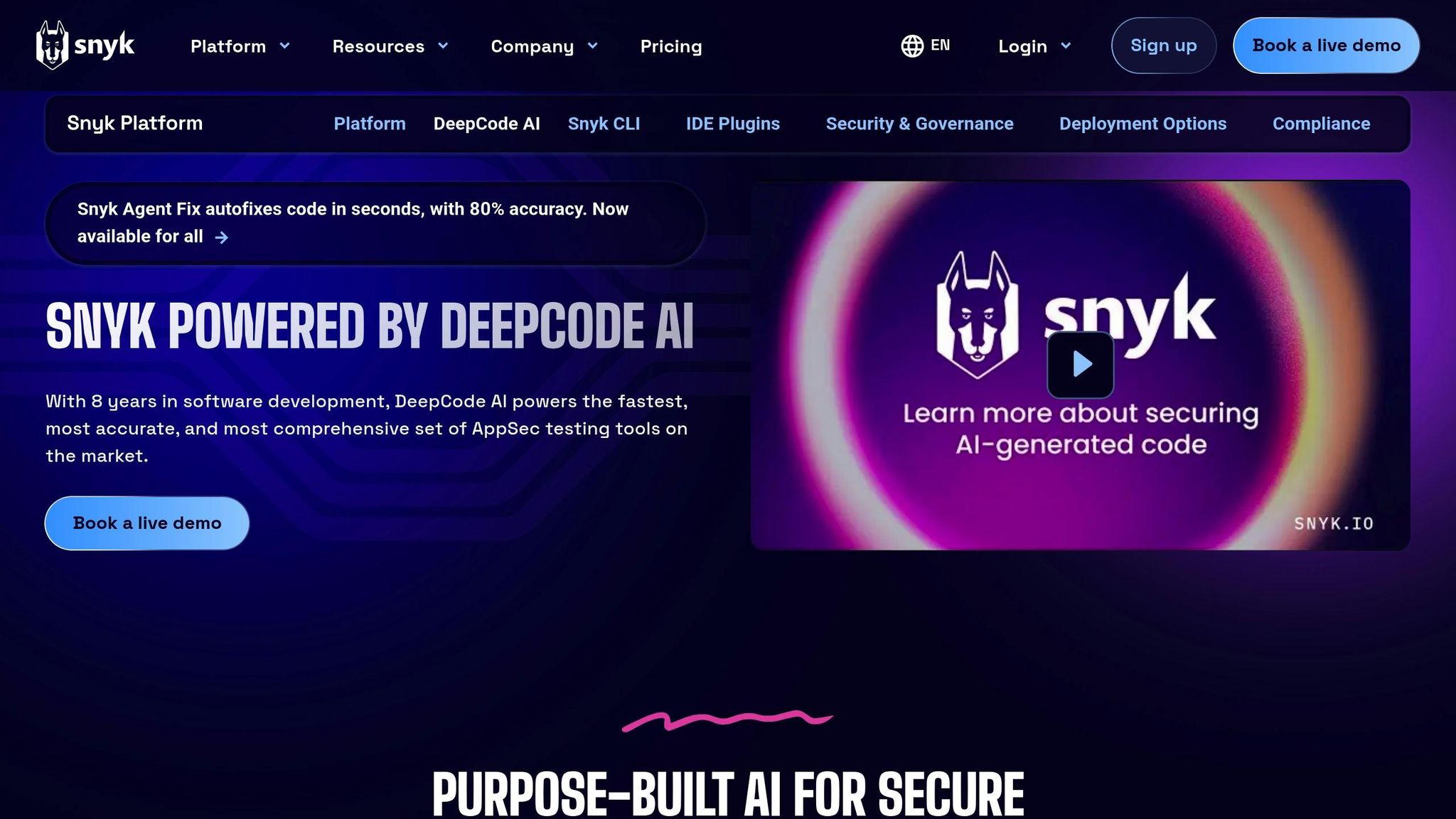
DeepCode by Snyk takes static code analysis to a new level with its AI-driven approach. Unlike older, rule-based tools, DeepCode uses machine learning trained on countless code repositories to spot security vulnerabilities, coding mistakes, and risks before they become a problem [30]. By combining symbolic AI, generative AI, and insights from security researchers, it delivers precise results while keeping false positives to a minimum [28]. This accuracy translates directly into actionable security fixes.
One standout feature of DeepCode is its hybrid AI methodology, which includes advanced techniques like CodeReduce. This approach zeroes in on the most relevant sections of code, cutting down on irrelevant suggestions and boosting accuracy [29][31]. In fact, tests showed that CodeReduce improved GPT-4's accuracy by up to 20% in certain cases [29].
Contextual Awareness of Codebase
DeepCode doesn't just skim the surface - it dives deep into the structure of your code using abstract syntax trees (AST). This allows it to understand how different parts of your code interact, track variable usage, and analyze data flow across your application [30]. On top of that, it runs a variety of targeted checks [31].
This deeper understanding enables risk-based prioritization. By evaluating factors like the popularity of packages, code reachability, and how easily vulnerabilities can be exploited, DeepCode highlights the most critical issues. The result? Feedback that’s not only specific but also actionable [28].
Automation of Repetitive Tasks
One of the most time-consuming parts of securing code - fixing vulnerabilities - is made faster and easier with DeepCode's Snyk Agent Fix. Powered by AI, this tool can automatically resolve security issues in seconds, achieving an impressive 80% accuracy rate [28]. This has helped teams cut their mean time to remediate (MTTR) by over 84% [28]. Steve Pugh, CISO at ICE/NYSE, shared how this has transformed their workflow:
"When it comes to developer productivity gains, the recent explosion of generative AI innovation has been welcomed by many with a mixture of enthusiasm and relief. As a security leader, however, my foremost responsibility is to ensure that all of the code we create, whether AI-generated or human-written, is secure by design. By using Snyk Agent Fix, our development and security teams can now ensure we're both shipping software faster as well as more securely." [28]
Integration with Popular IDEs
DeepCode integrates seamlessly with major IDEs like JetBrains, VS Code, Eclipse, and Visual Studio through the Snyk Language Server [33][34]. This real-time scanning feature helps developers catch security issues as they write code, rather than discovering them later during reviews.
Getting started with DeepCode is simple. Developers can install the Snyk plugin directly from their IDE's marketplace and activate DeepCode AI Fix via the Snyk Web UI [34][35]. The integration provides in-line fixes and suggestions without disrupting the coding process.
Impact on Developer Workflow
The productivity boost from DeepCode is undeniable. Snyk Code performs static scans 50× faster than older tools and 2.4× faster than modern alternatives, all while delivering nearly 20 percentage points higher OWASP Benchmark accuracy for AI-generated code [36]. A Fortune 100 company reported reducing their MTTR by 84% after adopting Snyk Code [36]. This efficiency comes from offering actionable insights rather than generic alerts. Ryan Kimber, Founder and CEO of FormHero, summed it up perfectly:
"If you aren't addressing problems during the developer workflow and you're finding them and dealing with them in QA, it will take you 10 times longer to fix. That's where Snyk comes in." [34]
Additionally, DeepCode empowers developers to write custom queries using AI logic with autocomplete functionality. This makes it easier to create, test, and save rules tailored to their organization's needs [32].
7. Codex by OpenAI: Natural Language to Code Translation
OpenAI Codex changes the way developers approach coding by turning plain English instructions into fully functional code. Built on a robust reasoning framework, Codex bridges the gap between human intent and executable programming. It's trained on millions of examples where natural language descriptions are paired with corresponding code, giving it the ability to handle everything from broad feature ideas to detailed technical instructions [37].
What makes Codex stand out is how it deconstructs complex instructions and aligns them with programming principles it has learned. Whether you're casually describing a sorting algorithm or outlining the structure of a database, Codex keeps track of the context and interprets ambiguous inputs by relying on common coding patterns [37]. These capabilities make it an invaluable tool for improving the entire development process.
"Codex is not just a tool; it bridges the gap between human thinking and machine execution. While it doesn't replace developers, it helps them become faster, smarter, and more creative." - Vikcy Bunch, Author [39]
Contextual Understanding of Codebases
One of Codex's strengths is its ability to grasp the bigger picture of your project, not just isolated fragments of code. When your instructions refer to existing code or patterns within your project, Codex ensures consistency with your architecture and coding style [37]. This contextual understanding extends to specialized terminology across various fields, whether you're building web apps, mobile solutions, or working on data science tasks.
Codex isn’t limited to small tasks - it can handle complex projects with up to 192,000 tokens of context [37] [38]. This deep comprehension allows it to streamline repetitive tasks and adapt to the unique demands of your project.
Automating Repetitive Coding Tasks
Repetitive tasks can drain productivity, and Codex is designed to tackle them seamlessly. It automates well-defined tasks like refactoring code, renaming variables, writing tests, scaffolding features, connecting components, fixing bugs, and even generating documentation [38].
"Codex is a cloud-based software engineering agent that can work on many tasks in parallel." - Taradepan R, Entelligence [40]
Integration with Development Tools
Codex integrates effortlessly with popular development tools, particularly excelling when used alongside GitHub Copilot. It provides real-time coding suggestions, handles intricate commands, and makes refactoring easier as you type. You can also access Codex through the "Codex (beta)" sidebar in the ChatGPT Pro interface, though it operates as a remote agent requiring internet access [41]. This smooth integration ensures Codex fits naturally into your workflow, eliminating the hassle of switching between tools.
Transforming the Developer Workflow
The productivity boost from using Codex is significant. Tasks that might take hours are often completed in just 1 to 30 minutes, depending on their complexity [38]. By reducing the need to switch contexts and surfacing overlooked tasks, Codex allows developers to focus on critical work and deliver results faster [38]. OpenAI itself uses Codex to handle repetitive jobs, freeing up engineers to concentrate on more impactful tasks. For the best results, integrate Codex into a well-configured development environment with clear documentation and reliable testing setups. By simplifying routine coding processes, Codex accelerates project timelines without adding extra overhead for developers [41].
Productivity Impact Summary
Expanding on the earlier discussion about the roles of AI coding agents, this section provides a breakdown of how these tools are reshaping productivity in software development workflows. By analyzing their contributions across various areas, we can better understand where they deliver the most value.
Code generation emerges as a game-changer. For instance, developers using GitHub Copilot are completing 12–22% more pull requests each week [46][47]. At ZoomInfo, a 6.5% boost in project-level productivity was reported [45]. However, the quality of AI-generated code can vary significantly depending on the programming language - tests show about 60% correctness for Java, compared to 30% for JavaScript on LeetCode problems [45].
Code review and merging are also seeing major time savings. Copilot users have reduced their average pull request time from 9.6 days to just 2.4 days. Additionally, code merges are happening 50% faster, with a 15% higher merge rate [47][49]. Teams using AI-driven review tools have even reported a 50% drop in unplanned work within two months [44].
Debugging and refactoring benefit from AI’s ability to spot patterns and suggest fixes. AI-generated code reportedly runs with 90% fewer errors, minimizing bugs [44]. At scale, companies like Salesforce have generated over seven million lines of code for customers, with 25–28% of this AI-generated code making it into production [43].
| Workflow Area | AI Agent Role | Productivity Benefit | Considerations |
|---|---|---|---|
| Code Generation | Suggests snippets and autocompletes functions | 12–22% more PRs/week [46][47]; 6.5% project gains [45] | Code quality varies by language; review still needed [45] |
| Code Review | Offers automated suggestions and static analysis | 15% higher merge rate; merges ~50% faster [47][49] | Integration time may rise by 42% [45] |
| Debugging | Identifies bugs and suggests fixes | 90% code validity; fewer production bugs [44] | May miss context-specific issues; human oversight required [44] |
| Refactoring | Recommends improvements to existing code | Reduces technical debt; streamlines codebase | Quality depends on training data and project context [48] |
| Pull Request Management | Breaks tasks into smaller, manageable PRs | Time to PR reduced from 9.6 to 2.4 days [47] | Workflow adjustments may be necessary [47] |
| Documentation | Generates docstrings and comments | Saves time on documentation tasks | May need editing for accuracy and consistency [48] |
These statistics underline the growing importance of AI coding agents in enhancing developer efficiency.
Interestingly, the rate at which developers accept AI-generated suggestions often reflects their perceived productivity [45][48]. In organizations where 80% of Copilot licenses are actively used, adoption rates are high [47]. According to Salesforce’s State of IT survey, 96% of developers are optimistic about AI’s role in their careers, and 92% say they prefer to measure productivity by impact rather than output [42][43].
However, while the productivity gains are clear, teams need to balance these improvements with quality control. For example, Copilot users experience a 42% longer integration time, emphasizing the need for human oversight [45]. This highlights the importance of combining AI tools with manual review to ensure both speed and quality in software development workflows.
Setting Up AI Coding Agents in Development Environments
To get the most out of AI coding agents, having a well-prepared development environment is key. A favorite among developers in the U.S. is Visual Studio Code (VS Code) - a lightweight editor that takes up less than 200 MB to download and around 500 MB of disk space [50].
Start by downloading and installing VS Code for your operating system. It works smoothly on macOS, Linux, and Windows, and it gets monthly updates packed with new features and bug fixes [50]. If you often switch between machines or need a portable setup, consider using VS Code's Portable mode. This mode stores all application data locally, making it perfect for USB drives or shared workstations. With this setup, you're ready to incorporate AI-powered tools into your workflow.
Next, install essential tools like Git and the necessary language runtimes. Head to the VS Code Marketplace to find extensions tailored to your needs. For example, the CodeRide extension can enhance your workflow with context-aware coding assistance. Plus, VS Code already supports popular languages like JavaScript, TypeScript, HTML, and CSS, so you can start coding right away.
Setting up GitHub Copilot is straightforward: install the extension, log in with your GitHub account, and you're ready to experience AI-assisted coding. Since VS Code comes with built-in Git support, integrating source control is seamless. Additionally, CodeRide's Model Context Protocol (MCP) ensures consistent coding styles across team projects, making collaboration smoother.
For enterprise environments, creating a shared workspace with standardized AI configurations and managing token allocation can help focus efforts on critical tasks. Adjusting extension settings to fit your project's size can also improve performance. For instance, CodeRide's contextual features ensure accurate suggestions, even in large, multi-module projects.
With regular updates and the right configuration, VS Code ensures that AI coding agents provide relevant, productivity-boosting insights to streamline your development process.
Conclusion
AI coding agents are reshaping how modern development teams in the U.S. operate, bringing a host of improvements to workflows. Tools like CodeRide, with its ability to provide comprehensive project context, highlight the transformative impact AI is already having on software development.
The productivity boost is undeniable. These agents now achieve up to 70% reasoning accuracy [52] and have shown the capability to reduce manual review efforts by 87% [54]. The result? Faster project deliveries, fewer bugs in production, and more time for developers to tackle challenging, high-value tasks instead of getting bogged down by routine work.
Beyond productivity, AI coding agents significantly enhance code quality. By automating error detection and enforcing best practices, they address issues ranging from syntax mistakes to performance inefficiencies and security flaws [51]. This creates a safety net that improves code integrity without sacrificing development speed.
As these tools advance, they’re now capable of understanding entire projects, adhering to team-specific styles, and even generating various types of tests [53]. This progression allows developers to focus more on solving complex problems while leaving repetitive tasks to the AI.
However, making the most of these advancements requires thoughtful adoption. Teams need to prioritize selecting the right tools, staying updated on new capabilities, and maintaining ethical practices [55]. It’s important to note that AI coding agents aren’t replacing developers - they’re enhancing their capabilities by taking over routine tasks and offering intelligent support [55]. This shift frees developers to focus on the creative and strategic work that drives innovation.
AI is no longer just an optional enhancement - it's becoming a critical component of competitive software development in the United States.
FAQs
How does CodeRide help maintain code quality and consistency across projects?
CodeRide takes the guesswork out of maintaining high-quality code by automating essential processes like code reviews, bug fixes, and refactoring. It tackles common issues such as duplicate code, style violations, security risks, and architectural inconsistencies, ensuring developers uphold top standards across every project.
By handling repetitive tasks and minimizing human error, CodeRide keeps codebases clean, consistent, and dependable. This not only saves valuable time but also frees developers to concentrate on creating better software while ensuring their workflows remain efficient and reliable.
How do AI coding agents improve productivity for developers?
AI coding agents are transforming how developers work by taking over tedious tasks like code generation, debugging, and refactoring. By automating these time-consuming processes, these tools free up developers to concentrate on more intricate and creative aspects of their projects, such as designing system architecture or tackling complex challenges.
On top of that, they play a key role in improving code quality. These agents can catch errors early, suggest better ways to optimize code, and maintain consistency throughout a project. By simplifying workflows and cutting down on repetitive manual tasks, AI coding agents not only save time but also help teams deliver polished, high-performing software more quickly and efficiently.
How can developers start using AI coding agents in their favorite IDEs?
To begin using AI coding agents in your favorite IDE, make sure it supports AI integration. Many well-known IDEs either come with built-in AI tools or let you add them through plugins or extensions. You can usually find these options in your IDE's marketplace or settings.
After installing the AI agent, set it up to fit your workflow. Start small - use it for tasks like suggesting code, debugging, or refactoring. This will help you get familiar with its features. As you grow comfortable, you can rely on it for more complex development tasks, streamlining your work and boosting efficiency.
Ready to transform your AI development workflow?
Experience seamless AI development with CodeRide. Eliminate context reset and build better software faster.
Share this article