
How AI Maps Task Dependencies in Codebases
Explore how AI transforms codebase management by automating task dependency mapping, enhancing collaboration, and reducing errors.
Quick navigation
AI is transforming how developers manage complex codebases by automating dependency mapping. These tools identify relationships between code components, ensuring smoother development and fewer errors. Here's how they work:
- Static Analysis: AI scans the codebase for direct relationships (e.g., function calls, imports).
- Contextual Insights: Adds metadata like business logic or security requirements.
- Runtime Data: Observes real-time behavior to catch dynamic dependencies.
- Continuous Updates: Integrates with CI/CD pipelines to keep the map current.
Why it matters:
- Reduces bugs and broken builds.
- Speeds up refactoring and testing.
- Simplifies onboarding and collaboration.
- Strengthens security and compliance.
Tools like CodeRide improve this process by maintaining project context, optimizing tasks, and integrating with popular IDEs. Regular updates, visualization tools, and automated checks make AI-driven dependency mapping a must-have for modern development.
What Are Task Dependencies in Code
Defining Task Dependencies
In software development, task dependencies describe how different pieces of code interact to ensure everything runs smoothly. These dependencies arise when one part of the system relies on another to function - whether it’s a function calling another, a module importing an external library, or a service communicating with a database.
Dependencies can exist at various levels. For instance, a payment function might depend on a validation process and database access, while an authentication module could rely on encryption libraries and external APIs. As systems grow more complex, these interconnections multiply, creating potential failure points that require careful attention during development, testing, and deployment.
Despite their importance, keeping track of these dependencies manually can be a daunting task.
Problems with Manual Dependency Mapping
When projects grow, manually tracking dependencies becomes nearly impossible to maintain. Developers frequently make changes, add features, or refactor code, but updating documentation often falls by the wayside. This creates a gap between the actual state of the code and what’s recorded, leading to confusion and errors.
Hidden dependencies are another major issue. These are indirect relationships that aren’t immediately obvious by simply reading the code. For example, two modules might not directly interact but could both rely on a shared global state or configuration file. If that shared element changes, it can disrupt both modules in unexpected ways - problems that often don’t surface until runtime.
Legacy codebases make things even harder. Systems that have evolved over years or decades often carry the burden of outdated architecture. The original developers may no longer be around, leaving new team members to untangle a web of dependencies with little context. This lack of clarity can lead to a “don’t touch it if it works” mindset, where fear of breaking something halts progress and complicates maintenance.
Another challenge is the human factor. Even the most diligent developers can’t remember every dependency in a large codebase. They might track the obvious ones but overlook subtler connections, especially when working under tight deadlines. This incomplete understanding can result in bugs, failed deployments, and long debugging sessions.
How AI Solves These Problems
AI-powered tools offer a way to sidestep the challenges of manual dependency tracking. By automating the process, these tools can analyze and monitor entire codebases, ensuring that dependency relationships are always up-to-date and accurate.
One of the biggest advantages of AI is its ability to perform real-time analysis. As developers make changes, AI systems can instantly update dependency maps, providing an accurate, current view of the codebase. This eliminates the delays and inaccuracies that plague manual documentation.
AI tools are also adept at spotting hidden patterns in dependencies. They can identify implicit relationships - like those tied to shared resources, configuration files, or environmental variables - that might not be obvious to a person. Additionally, AI can analyze historical data to uncover dependencies that only emerge in specific scenarios or execution paths.
Another key benefit is scalability. Whether you’re dealing with a small project or a massive enterprise system with millions of lines of code, AI maintains the same level of precision. This makes it feasible to apply detailed dependency analysis to projects that would otherwise be too complex for manual methods.
Finally, AI ensures consistency. Unlike human developers, who vary in experience and attention to detail, AI evaluates every part of the codebase with the same thoroughness. This reliability provides a solid foundation for making architectural decisions and planning future development.
This AI Tool Makes Understanding Code Bases 10x Faster (Full Demo)
How AI Maps Dependencies: Step-by-Step
To grasp how AI generates detailed dependency maps, it helps to break the process into clear phases. Each step builds on the previous one, transforming static code into a dynamic map that reveals the intricate web of connections within a codebase.
Static Code Analysis
The journey begins with AI scanning the entire codebase to identify direct relationships between components. This includes examining source code, configuration files, database schemas, and build scripts to create an initial dependency graph.
During this phase, AI parses elements like import statements, function calls, and class inheritance to establish direct links. For example, encountering a function call like user_service.authenticate() highlights a dependency between the current module and the user service.
But it doesn’t stop at code files. AI tools also analyze language-specific dependency files and configuration files to uncover external libraries and infrastructure dependencies. Conditional and hidden dependencies, dictated by logic or environment settings, are also flagged.
Database schema analysis plays a key role here. AI examines SQL migration files, ORM model definitions, and database configurations to map data dependencies. If a service references a specific database table or relies on particular database functions, these relationships are incorporated into the map.
This initial phase lays the foundation, capturing all explicitly defined relationships in the code. However, it doesn’t yet account for how these connections function in real-world scenarios.
Adding Context and Metadata
Once the basic framework is in place, AI takes it further by enriching the map with contextual details. This step transforms raw technical connections into meaningful relationships by analyzing business logic, execution patterns, and compliance requirements.
AI tools dive into comments, documentation, and naming conventions to understand the purpose behind each dependency. For instance, a link between a payment processing module and a fraud detection service isn’t just technical - it enforces a business rule ensuring payments are validated before processing.
Conditional dependencies are also identified. For example, a logging service might only connect to an external monitoring system in production mode, or a caching layer might activate only under specific performance conditions. AI uncovers these patterns by examining if-statements, configuration settings, and environment-specific code paths.
Additionally, security and compliance metadata are layered onto the map. AI flags dependencies that handle sensitive data, require specific security measures, or must adhere to regulations like GDPR or HIPAA. This is crucial when planning changes that could impact compliance.
Performance characteristics are another focus. AI identifies dependencies that are resource-intensive, latency-sensitive, or performance-critical. This helps teams prioritize these areas during optimization efforts.
Runtime and Historical Data Analysis
Static analysis provides valuable insights, but it’s only part of the picture. The next phase involves examining runtime logs, telemetry data, and version control history to uncover dynamic dependencies that only emerge during execution.
Runtime analysis reveals relationships that static analysis misses. For example, an e-commerce platform might dynamically load different payment processors based on customer location or transaction amount. These dependencies become clear only through runtime observation.
AI tools analyze application logs to spot runtime patterns and failure trends. If service A consistently fails after service B encounters issues, this suggests a dependency not evident in the code. Similarly, modules frequently used together during specific workflows point to functional dependencies.
Historical version control data adds another layer of insight. By analyzing commit patterns, AI identifies files that often change together, indicating hidden relationships. For example, if two modules are consistently updated in the same commits, their connection should be documented in the dependency map.
Performance monitoring data also plays a role. AI detects resource-sharing relationships - like when one service’s CPU usage correlates with another’s memory consumption - offering insights into how system resources are interconnected.
CI/CD Pipeline Integration
The final phase integrates dependency mapping with CI/CD pipelines to ensure the map remains accurate as the code evolves. This keeps the dependency map live and up-to-date with every code change.
AI tools monitor build processes to detect new dependencies as they arise. When imports, configurations, or schemas are updated, the map adjusts in real time, avoiding the pitfalls of outdated documentation.
By integrating automated testing, AI continuously validates dependency assumptions. If a test fails, AI correlates it with recent dependency changes, helping teams pinpoint potential issues before they hit production.
This integration also supports impact analysis for proposed changes. Before merging updates, AI evaluates which components might be affected, guiding testing strategies and deployment plans.
Finally, deployment monitoring refines the map further. By observing how changes impact production behavior, AI updates its understanding of dependencies based on real-world outcomes. This continuous feedback loop ensures the map becomes increasingly accurate and reliable.
Through these four phases, AI transforms a static codebase into a dynamic system where every dependency is documented, contextualized, and continuously updated. This approach equips development teams with the insights needed to make informed architectural decisions and maintain system reliability.
Benefits of AI Dependency Mapping
AI dependency mapping brings practical improvements to system architecture, risk management, and team collaboration. By transforming raw data into actionable insights, it helps teams address challenges more effectively and streamline their workflows.
Improving Refactoring and Architecture
AI-generated maps give you a clear picture of your codebase’s structure, pinpointing areas that need attention. For example, they highlight modules with too many dependencies - prime candidates for refactoring. These overly connected components often signal parts of the system that have grown unwieldy, making them harder to modify without causing unintended issues elsewhere.
Another advantage is identifying opportunities for microservice extraction. AI can cluster related components based on shared data patterns and logic, suggesting natural boundaries for breaking down monolithic applications into smaller, more manageable services.
For legacy systems, dependency mapping becomes a game-changer. It helps uncover dead code and unused dependencies that accumulate over time, making cleanup easier and reducing technical debt. This, in turn, simplifies maintenance and sets the stage for future improvements.
The maps are also invaluable for detecting circular dependencies, which can create significant headaches during maintenance and deployment. By visualizing these problem areas, teams can strategically refactor to eliminate cycles, resulting in a cleaner and more maintainable system.
Strengthening Risk Management and Testing
AI-driven dependency maps allow teams to anticipate the impact of changes before they’re implemented, minimizing the risk of unexpected issues in production.
One key feature is the creation of risk heatmaps, which highlight critical paths in the system. Components with many dependencies are flagged with higher risk scores, signaling that changes to these areas demand extra care and thorough testing.
When it comes to testing, these maps make the process more efficient. Instead of running an entire test suite for every change, teams can focus on tests that are relevant to the specific dependencies affected. This targeted approach saves time without compromising quality.
Dependency maps also aid in blast radius analysis during incidents. If something breaks in production, teams can quickly trace through dependencies to identify other potentially affected components, speeding up containment and resolution.
Additionally, they support unified rollbacks by ensuring that partial reverts don’t leave the system in an inconsistent state.
Accelerating Onboarding and Team Collaboration
AI dependency maps don’t just optimize technical processes - they also make it easier for teams to work together. New developers can use these visual maps to quickly understand the system’s structure, reducing the learning curve and enabling them to contribute sooner.
For larger organizations, these maps improve cross-team collaboration. When multiple teams work on interconnected parts of a system, dependency maps help clarify how changes in one area might impact others. This shared understanding leads to smoother coordination and fewer integration hiccups.
During code reviews, maps provide valuable context about how proposed changes fit into the broader architecture. Reviewers can easily evaluate whether changes align with established patterns or introduce new risks, making the review process more effective.
Even documentation efforts benefit. By focusing on the most critical dependencies and integration points, teams can create documentation that’s both targeted and impactful, ensuring key knowledge is preserved and accessible.
Enhancing Security and Compliance
AI dependency mapping plays a vital role in strengthening security and meeting compliance requirements. By visualizing data and control flows, it helps teams identify vulnerabilities and maintain regulatory standards.
For example, dependency maps can uncover privilege escalation paths, where attackers might exploit low-privilege components to gain access to sensitive systems. With this insight, security teams can implement safeguards and monitoring to block such threats.
In data governance, the maps provide a clear view of which components handle sensitive information and how that data moves through the system. This transparency is essential for meeting privacy regulations like GDPR and HIPAA, which require organizations to track and manage personal data processing.
AI can also flag security misconfigurations, such as components with excessive permissions or insecure communication channels. These insights allow teams to prioritize fixes based on actual risks.
Finally, dependency maps simplify compliance auditing by offering a clear, well-documented view of system architecture and data flows. Auditors can quickly verify that appropriate controls are in place, making the process more straightforward.
When vulnerabilities are discovered in third-party libraries, the maps make vulnerability management more strategic. Teams can immediately identify all affected components and assess the potential impact, ensuring timely and effective responses to security threats.
sbb-itb-4fc06a1
How CodeRide Improves Dependency Mapping
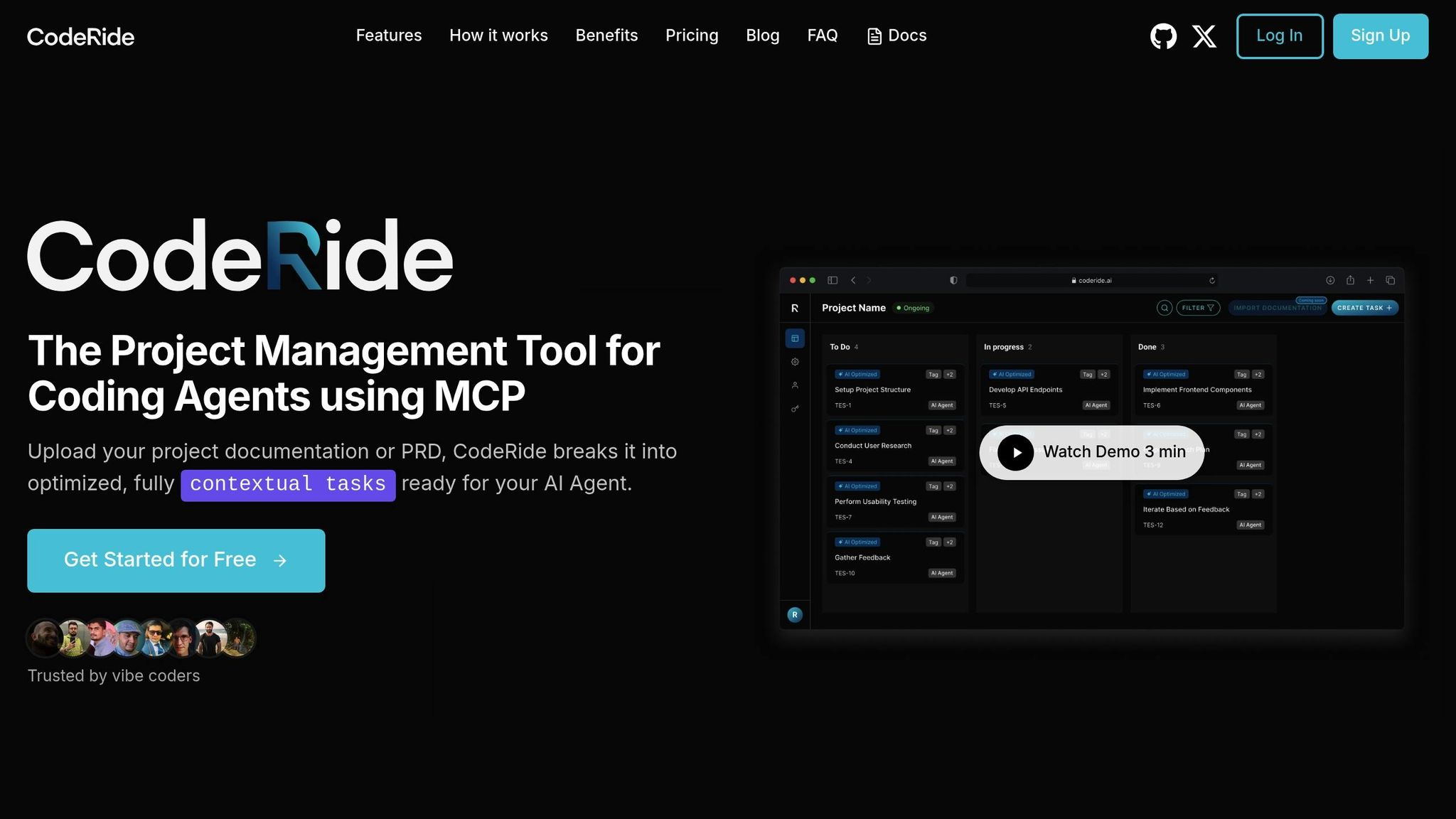
AI-driven dependency mapping can be incredibly helpful, but its success hinges on how well the tools grasp your project's structure and context. CodeRide tackles this challenge by equipping AI agents with a complete understanding of your project, resulting in more precise dependency analysis. Here’s a closer look at the three key ways CodeRide enhances this process.
Full Project Context for AI
One major issue with traditional AI coding tools is their tendency to lose track of your project’s context between sessions. CodeRide eliminates this problem by maintaining a persistent memory of your project’s architecture and design choices.
"AI code assistants lose track of your project between sessions. CodeRide maintains persistent context so your AI remembers your architectural decisions, coding patterns, and project goals." [1]
This ongoing memory allows the AI to understand not just the dependencies in your project but also the reasoning behind key design decisions, like avoiding tight coupling. On top of that, CodeRide can analyze uploaded documentation to extract actionable tasks, saving you the trouble of repeatedly explaining your project’s structure and coding standards.
Task Optimization and Consistency
CodeRide goes a step further by optimizing how tasks and dependencies are managed. It tailors dependency mapping to the unique characteristics of your codebase. By breaking down project documentation into fully contextualized tasks, the platform ensures that AI agents have a clear understanding of both the dependencies and the best practices for handling them.
"Each task comes pre-loaded with optimized context and instructions, making your AI agent more effective from the start." [1]
This pre-loaded context ensures the AI aligns with your established coding patterns. Additionally, CodeRide’s pattern recognition capabilities enable the AI to learn from your existing codebase, delivering dependable recommendations that adapt as your project evolves. This approach not only simplifies the mapping process but also reduces the need for redundant explanations, improving overall efficiency.
IDE and Tool Integration
To make dependency mapping as smooth as possible, CodeRide integrates seamlessly with popular development tools. It connects with major IDEs like Cursor, Windsurf, VS Code with Cline, Claude, and GitHub Copilot, embedding dependency mapping directly into your workflow. This integration ensures that the AI continuously tracks code changes and their impact on dependencies in real time, allowing you to manage your project’s architecture intelligently without interrupting your development process.
Best Practices for AI Dependency Mapping
To get the most out of AI dependency mapping, it’s important to go beyond simply running automated tools. A thoughtful, strategic approach ensures better results, fewer surprises during development, and smoother project execution. Here are some practices that can help teams maximize the benefits of dependency mapping.
Complete Codebase Analysis
While automated mapping provides a great starting point, a thorough analysis should include all related project artifacts. This means looking at more than just the source code. Configuration files, database schemas, deployment scripts, CI/CD pipeline definitions, Docker files, Kubernetes manifests, and even README files should be part of the analysis. These elements often contain critical information about how components interact.
Don’t overlook legacy or deprecated modules. Even if they seem outdated, they may still influence dependencies and create bottlenecks during refactoring. Removing or ignoring these components without proper analysis could lead to unexpected issues.
The more comprehensive your input data, the more accurate your dependency maps will be. This holistic approach ensures that no critical detail slips through the cracks.
Keep Maps Updated
Dependency maps can quickly become outdated in fast-moving development environments. A map that was accurate last month might already be missing new integrations, refactored modules, or removed dependencies. To keep everything current, establish a regular update schedule that matches your team’s development pace.
For teams practicing continuous integration, consider automating updates to dependency maps. For example, trigger updates whenever significant code changes occur, such as modifications to configuration files or the addition of database migrations. This ensures that the maps remain aligned with the latest state of the codebase.
Additionally, schedule comprehensive reviews of your dependency maps during sprint planning or architectural review sessions. These reviews help identify discrepancies between the AI-generated maps and the team’s understanding of the system. Up-to-date maps not only improve accuracy but also make it easier to visualize and manage complex dependencies.
Use Visualization Tools
Raw data can be hard to interpret, especially when dealing with intricate systems. That’s where visualization tools come in. They transform complex dependency relationships into clear, interactive graphs that are easier to understand and validate.
Look for tools that allow you to explore dependencies at multiple levels. For example, during architecture planning, you might focus on service-to-service relationships. When debugging, you may need to drill down to class-level dependencies. Interactive features, like the ability to click on a component and instantly see its connections, make these tools invaluable for daily development tasks.
Color coding and visual indicators can highlight critical paths, circular dependencies, or areas with high coupling. These visual cues help teams quickly identify potential problem areas that need attention.
Automate Dependency Checks
Embedding dependency checks directly into your development workflow ensures that validation becomes a seamless part of the process. Integrate these checks into your CI/CD pipelines so they run automatically whenever someone creates a pull request or merges code changes.
These automated checks can validate that new dependencies adhere to your architectural guidelines. They can also flag issues like circular dependencies or violations of layering principles. Setting up threshold-based alerts can help teams spot sudden increases in complexity. For instance, if a module’s dependencies grow significantly, it might signal a design issue worth investigating.
Another helpful feature is dependency drift detection, which flags deviations from your architectural standards over time. This automation complements real-time updates from CI/CD integration, making it easier to maintain consistency without adding extra manual work.
Conclusion
AI-powered dependency mapping has transformed how development teams manage task dependencies. By automating processes like static code analysis, runtime data collection, and CI/CD integration, these tools eliminate the need for guesswork and tedious manual tracking. This shift allows teams to approach architectural challenges with a new level of precision and confidence.
With accurate dependency maps, teams can spot bottlenecks early, implement architectural changes more effectively, and streamline onboarding for new developers. These maps provide a clear view of system relationships, making complex projects easier to navigate.
CodeRide takes this concept further by offering complete project context to AI coding agents. This helps address issues like "context amnesia", where developers lose sight of how their changes impact the broader system. By bridging these gaps, CodeRide enables more precise analysis and smarter task management.
To fully harness the benefits of AI-driven dependency mapping, teams should focus on thorough codebase analysis, maintain up-to-date maps through automation, leverage visualization tools for better clarity, and integrate dependency checks into their workflows. These strategies, paired with AI tools, help manage technical debt and uphold code quality as projects scale.
In today’s fast-paced development landscape, AI dependency mapping is no longer optional - it’s a necessity for maintaining speed and reliability. Adopting these tools and practices empowers teams to tackle modern development challenges with confidence.
FAQs
How does AI make mapping task dependencies in codebases more efficient than manual methods?
AI simplifies the challenging task of mapping dependencies by analyzing codebases to uncover how tasks, resources, and deliverables are interconnected. This automation cuts down on tedious manual work and minimizes the risk of mistakes.
With a comprehensive understanding of the codebase, AI can anticipate when dependencies might require adjustments due to shifts in usage patterns or updates in the surrounding ecosystem. It also delivers real-time insights and visual tools, enabling developers to stay ahead of potential issues and manage dependencies efficiently. Compared to traditional manual approaches, AI brings unmatched precision, speed, and clarity, making it a game-changer for navigating complex codebases.
What are the main advantages of using AI to map task dependencies in CI/CD pipelines?
Integrating AI into task dependency mapping within CI/CD pipelines brings a range of advantages. For starters, AI can spot dependency issues early, which helps prevent downstream failures and keeps development workflows running smoothly. By automating dependency visualization, it also speeds up troubleshooting and contributes to better code quality.
On top of that, AI can anticipate potential bottlenecks, giving teams the chance to tackle issues before they escalate. This proactive approach reduces deployment delays and boosts the reliability and efficiency of software delivery. In short, using AI in this context ensures smoother workflows and consistently higher-quality outcomes.
How does AI identify hidden dependencies in complex codebases?
AI has the ability to reveal hidden dependencies within complex codebases by thoroughly analyzing the project's entire structure. This includes diving into architectural patterns and even old legacy code. It maps out relationships between modules, functions, and data flows, uncovering dependencies that might not be obvious - like those buried in undocumented logic or outdated systems.
By leveraging advanced algorithms, AI identifies subtle connections and tangled links that could affect the stability of a project. This insight helps teams manage tasks more effectively, minimize errors, and maintain the integrity of the codebase, all while making development workflows more efficient.
Ready to transform your AI development workflow?
Experience seamless AI development with CodeRide. Eliminate context reset and build better software faster.

Share this article