
How To Extract Codebase Context for AI Coding Agents
Enhance AI coding agents' efficiency by structuring your codebase, documenting thoroughly, and utilizing tools for context management.
Quick navigation
AI coding tools work best when they have detailed information about your project. Without it, they miss important details, leading to errors and inefficiencies. Here's the solution: provide structured context like code snippets, documentation, and metadata. This allows AI to generate precise, project-specific code, saving time and reducing errors.
Key Takeaways:
- A clean, well-organized codebase helps AI tools understand your project better.
- Use a consistent folder structure (e.g.,
/testsfor tests,/docsfor documentation). - Keep dependencies updated and documented (e.g.,
requirements.txtorpackage.json). - Maintain detailed documentation including READMEs, inline comments, and architecture diagrams.
- Enforce coding standards (e.g., PEP8, Airbnb style guide) and use tools like ESLint or Prettier.
- Automate context extraction with tools like CodeRide, which integrates with your IDE and maintains project context across sessions.
Why It Matters: Developers spend up to 50% of their time understanding code before making changes. AI tools equipped with proper context can cut repetitive coding tasks by 40% and improve code review efficiency by 20-30%. Tools like CodeRide automate context management, ensuring AI coding agents stay aligned with your project, even as it evolves.
Next Steps: Organize your codebase, document everything, enforce standards, and consider using automation tools like CodeRide to keep your project context updated. This approach ensures AI tools deliver accurate, efficient, and relevant suggestions.
Advanced Context Engineering for Agents
Preparing Your Codebase for Context Extraction
Before AI tools can effectively assist with your code, your project needs to be well-organized and structured. A clean, logical setup not only helps developers but also ensures AI tools can provide accurate and relevant suggestions.
According to industry research, developers spend up to 50% of their time just understanding existing code before making changes[5]. This highlights the importance of a structured codebase - not just for human developers, but for AI agents as well. When your project is organized, AI tools can quickly grasp the context and offer meaningful support.
Organizing Project Files and Dependencies
A consistent and logical folder structure is key to effective context extraction. By maintaining a standardized layout across all your projects, you make it easier for AI tools to locate files and understand your project's organization.
For example, always placing tests in a /tests directory and documentation in /docs creates predictable patterns that AI agents can learn. This consistency allows them to navigate new projects more efficiently[2][4]. On the other hand, mixing source code, tests, and configuration files in one directory can confuse AI tools and lead to less relevant suggestions[4].
Dependency management is another critical factor. Make sure to document dependencies explicitly in files like package.json for Node.js, requirements.txt for Python, or Gemfile for Ruby projects[4]. Include version numbers and regularly update these files using tools like npm or pip to avoid outdated or unused dependencies[2][4]. Keeping your dependencies clean and up to date ensures AI tools can better understand your project's environment.
Documenting Codebase Details
Good documentation is essential for providing context to both developers and AI agents. A well-documented project eliminates ambiguity and helps AI tools make better decisions. Start with a detailed README file that includes an overview of the project, setup instructions, and usage examples. Adding architecture diagrams can also give AI a high-level understanding of your system's components and how they interact[3][4].
Inline comments are equally important, especially for explaining complex logic, business rules, or algorithms. While clean code should be intuitive, some elements require explicit clarification. These comments help AI understand the reasoning behind specific implementations.
Additionally, document architectural decisions to give AI insight into your project's design choices[1]. Explain why certain patterns were adopted, the trade-offs involved, and how different modules interact. Keeping this documentation up to date is crucial - outdated information can mislead AI agents and result in suggestions that don't align with your current codebase[4].
Setting Up Coding Standards and Conventions
Once your project files and documentation are in order, consistent coding standards can further enhance AI's ability to assist. Naming conventions, coding styles, and recurring patterns all contribute to making your codebase easier for AI tools to understand and work with[3][4].
Adopt widely recognized style guides, such as PEP8 for Python or Airbnb's JavaScript style guide, and enforce them with tools like ESLint, Pylint, Prettier, or Black[4]. Incorporating these tools into your CI/CD pipeline ensures that all code meets your standards before being merged.
Document your coding conventions in the README or a CONTRIBUTING file. Include details about naming conventions, error handling, logging, and any project-specific practices. This documentation is helpful for new team members and AI agents alike, as it clarifies the unique aspects of your codebase.
Regular code reviews are also essential. They help catch inconsistencies early and reinforce your coding standards. When AI tools encounter consistent patterns across your project, they can generate suggestions that align seamlessly with your existing code.
Lastly, a modular design makes it easier for AI to extract context. By breaking your code into logical modules with clear responsibilities and well-defined interfaces, you help AI tools understand the boundaries between different parts of your system. This enables them to suggest changes that respect your project's architecture[2].
Platforms like CodeRide can automate context management and ensure your coding standards remain aligned across the project[4].
Step-by-Step Guide to Extracting Codebase Context
Once your codebase is well-organized and documented, the next step is to extract the contextual information that AI coding agents need. This involves pinpointing key components, gathering relevant data, and structuring it in a format that machines can easily interpret. A solid foundation here ensures accurate context extraction.
Finding Key Components of the Codebase
With your codebase in order, start by identifying its critical elements. The first task is mapping your project's essential parts. Begin by locating the entry points - these are the main files or scripts that kick off your application. For example, a web application might start with app.js or main.py, while a mobile app might rely on MainActivity.java or AppDelegate.swift.
Next, list all dependencies. This includes external libraries and frameworks from your dependency files, as well as internal modules used across your application. Tools like static analysis tools or dependency graph generators can help visualize these relationships, making it easier to see how different components interact [2][5].
Documenting your architectural patterns is equally crucial. Whether your project uses MVC (Model-View-Controller), microservices, or layered architecture, understanding these patterns provides AI agents with insights into your codebase's structure and design philosophy [2][5].
Some tools can even generate visual maps of your codebase automatically, offering diagrams that highlight critical paths for AI agents to focus on.
Extracting Contextual Information
Once you've mapped the key components, it's time to gather and organize all relevant contextual information. This means pulling data from various sources in your project and converting it into machine-readable formats that AI agents can process efficiently.
Start by collecting documentation, such as README files, API docs, and design records. Inline code comments are particularly useful since they often explain the reasoning behind specific implementations or business logic that might not be immediately clear from the code itself [2][3].
Pay special attention to configuration files like settings.py, config.json, .env, or YAML files. These files often contain critical details about how your application functions in different environments, helping AI agents understand the operating context.
Standardize the extracted data into formats like JSON, YAML, or Markdown to ensure consistency and usability. For instance, you could create a JSON structure that includes file paths, dependencies, last modified dates, and summaries of module purposes. Organize this context hierarchically, starting with a project overview, then module summaries, and finally diving into function and class details. This layered approach lets AI agents access the right level of detail quickly [2][3].
Automating Context Extraction
For larger projects, manual context extraction can be time-consuming. Automating this process not only saves effort but also ensures consistency and keeps the information up-to-date as your project evolves [2][5].
Write scripts that scan your project directory to extract documentation, parse configuration files, and generate dependency graphs. These scripts should produce structured summaries in formats like JSON or Markdown, ready for AI tools to use [2].
Platforms like CodeRide simplify this process. CodeRide offers features specifically designed for AI coding workflows, including automated context extraction and management [2][6].
To keep your context current, integrate extraction tools directly into your development workflow. For example, connect them to your CI/CD pipeline so that updates occur automatically whenever you make changes to the code. This ensures AI agents always have access to the latest project details [2][5].
Modern tools use a mix of retrieval methods to maximize effectiveness:
- Keyword search: Quickly finds exact matches for specific terms.
- Semantic search: Identifies conceptually similar code across modules.
- Graph-based retrieval: Maps dependencies and architectural relationships to provide a full picture of how components interact.
| Retrieval Method | Strengths | Best Use Cases |
|---|---|---|
| Keyword Search | Fast, precise for exact matches | Locating specific functions or variables |
| Semantic Search | Finds conceptually related code | Discovering similar functionality across modules |
| Graph-Based | Maps dependencies and relationships | Understanding architectural connections |
CodeRide enhances this process by automating indexing, maintaining contextual knowledge, and syncing updates as your codebase evolves. Its integration features ensure that AI tools always have access to the most accurate and complete project information, avoiding the common issue of context loss between development sessions.
To maintain long-term accuracy, schedule regular context re-extraction. Automating this refresh process weekly or after significant changes ensures your AI tools stay aligned with your codebase [5].
sbb-itb-4fc06a1
Using CodeRide for Context Extraction and Management
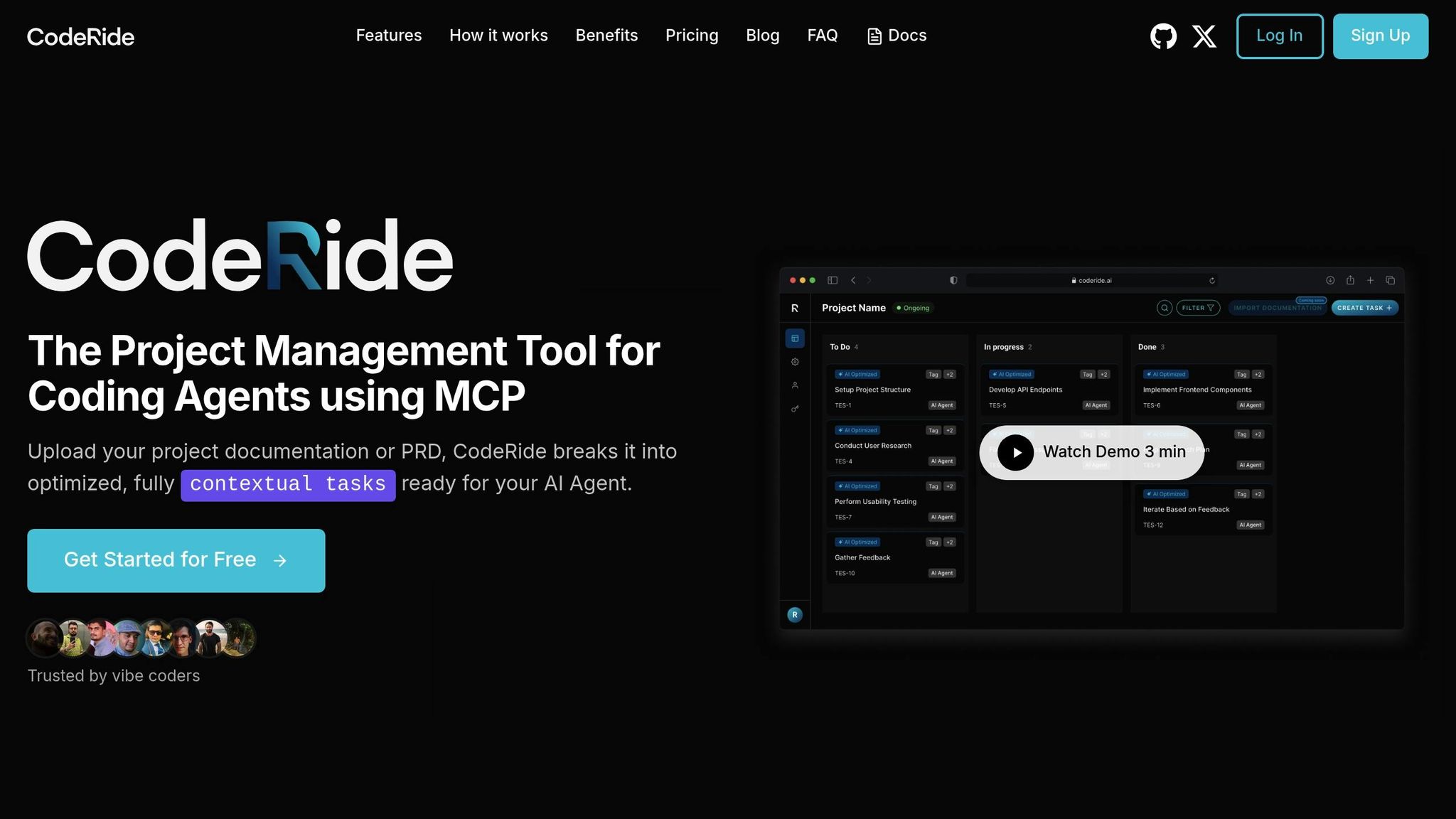
When working with small projects, manually extracting context might be manageable. But as your codebase grows, things get more complicated. That’s where CodeRide steps in. This platform is designed to handle the entire context of your codebase, making it an integral part of your AI-assisted development process. Unlike generic tools that treat context as an afterthought, CodeRide prioritizes it, ensuring your workflow is smooth and efficient.
One of the biggest challenges in AI-assisted coding is context loss between sessions. CodeRide tackles this head-on by continuously scanning your codebase and maintaining a persistent memory of your project. This means you can avoid repeating the same explanations every time you start a new session. Here’s how you can set up CodeRide and integrate it into your development environment.
Setting Up CodeRide for Your Project
CodeRide takes the manual steps of context extraction and automates them, saving you time and effort. To get started, head over to coderide.ai, create an account, and grab your API key from the dashboard. This key will serve as the bridge between CodeRide and your development tools.
The platform’s standout feature is its MCP (Model Communication Protocol) integration, which directly links CodeRide to your AI assistant. To set this up, simply add the following JSON snippet to your AI client’s configuration:
{
  "mcpServers": {
    "coderide": {
      "command": "npx",
      "args": ["-y", "@coderide/coderide-mcp"],
      "env": {
        "CODERIDE_API_KEY": "<YOUR_CODERIDE_API_KEY>"
      }
    }
  }
}
CodeRide works seamlessly with popular tools like VS Code, Cursor, Windsurf, Claude, and GitHub Copilot. Once connected, your AI assistant gains instant access to your entire project context.
The initial setup involves uploading key materials like project documentation or task lists to CodeRide. The platform analyzes this information, extracting actionable tasks and enhancing them with project-specific instructions. Once the setup is complete, you’ll notice how CodeRide consistently maintains and improves your project context.
CodeRide Features for Context Preservation
The real strength of CodeRide lies in its ability to automate context extraction and preservation throughout your development process. With its persistent project memory, your AI assistant doesn’t just remember isolated pieces of code - it understands architectural decisions, coding patterns, and project goals. For example, it retains knowledge about your authentication system, database schema, and coding conventions.
To achieve this, CodeRide uses semantic code analysis and dependency graph construction, creating a detailed map of your project. It parses your documentation, analyzes configuration files, and identifies relationships between components, equipping your AI assistant with a deep understanding of your codebase.
Tasks generated by CodeRide come pre-loaded with instructions tailored to your project. Instead of generic prompts, your AI assistant receives tasks that already account for your architecture, coding standards, and business requirements. This targeted approach leads to more accurate and relevant code generation.
Another key feature is version control integration, which keeps historical snapshots of your project context. This allows you to reference earlier states or roll back changes when necessary - especially helpful during major refactoring or when onboarding new team members.
Improving AI Workflows with CodeRide
CodeRide enhances AI-assisted development by offering intelligent context selection, which ensures only the most relevant information is included in AI prompts. This not only reduces token usage but also improves the quality of the output.
The platform’s pattern recognition capabilities allow it to learn from your existing codebase, ensuring that generated code aligns with your project’s style, architecture, and naming conventions. The result? Code that feels like it was written by someone who truly understands your project.
With autonomous development support, CodeRide enables your AI assistant to work more independently within your IDE. Thanks to MCP integration, your AI can navigate your project structure, understand relationships between components, and make informed decisions about where and how to integrate new code.
For distributed teams, CodeRide’s collaborative context sharing is a game-changer. Developers can share context snapshots, annotate codebase components, and sync updates across locations. This shared understanding minimizes miscommunication and boosts team productivity.
Here’s a real-world example: A fintech company in the U.S. integrated CodeRide with their monorepo and AI assistant. The results were impressive - a 30% reduction in repetitive code review comments and a 20% increase in successful first-pass code generations. New team members onboarded faster, and the AI assistant consistently adhered to the company’s coding standards, reducing the need for post-merge refactoring.
Keeping Your Codebase Context Updated for AI Workflows
As your codebase evolves with new features, updated dependencies, and shifting architectures, keeping its context current is essential. If this context becomes outdated, the AI coding agents you rely on may produce inaccurate suggestions, generate inefficient code, or even introduce bugs and inconsistencies [2][3].
Regular maintenance ensures that AI agents reflect the latest state of your project. When this doesn’t happen, outdated context can lead to issues like suggesting deprecated API calls, generating code that fails to align with recent standards, or ignoring new architectural constraints. Keeping the context fresh and seamlessly integrated into your AI workflows is key to avoiding these pitfalls.
Regular Updates to Documentation and Context
Every time you refactor code, update dependencies, or modify APIs, your documentation risks falling out of sync. READMEs, architectural diagrams, and inline comments must be updated to reflect these changes.
The best way to avoid outdated documentation is to make updates part of your regular development process - not an afterthought. For instance, when refactoring or deprecating features, update README files, diagrams, and comments immediately. Similarly, if you deprecate a service endpoint, revise your API documentation to include details about the replacement and any transition timelines.
Automated tools can assist by generating updated docstrings and diagrams based on code changes, but they can’t fully replace human input. Complex business logic and nuanced decisions still require manual oversight.
To ensure documentation stays current, assign clear ownership within your team. Designate specific members to manage different aspects, such as API docs, architectural diagrams, or coding standards. This shared responsibility prevents any one person from being overwhelmed and keeps the documentation process running smoothly.
Using CodeRide to Sync and Refresh Context
CodeRide simplifies context management by automatically detecting changes in your codebase and updating the information your AI coding agents rely on. When a pull request is merged, CodeRide syncs the latest code, documentation, and architectural diagrams, ensuring your AI agents always operate with the most up-to-date project context.
The platform integrates with version control systems, leveraging their historical records to track changes in both code and documentation. It also uses semantic analysis to monitor your project structure, identifying when components are added, modified, or when dependencies shift. This real-time synchronization ensures your AI agents stay aligned with the true state of your codebase.
Additionally, CodeRide preserves historical snapshots of your project’s context. These snapshots are invaluable for referencing earlier states, rolling back changes, or debugging issues that span multiple development cycles - especially during large-scale refactoring.
Best Practices for Long-Term Context Management
While automation tools like CodeRide are incredibly helpful, structured practices are equally important for maintaining accurate context over time. For example, schedule regular context audits - at the end of each sprint or release - to ensure documentation and coding standards stay aligned with your project’s evolution.
Leverage CodeRide’s automated snapshots during these audits to maintain consistency across distributed teams. Keep coding standards centralized in a document like CONTRIBUTING.md or a dedicated style guide, and update it as your practices evolve. Use automated linters and code formatters to enforce these standards, and configure your AI coding agents through CodeRide to generate code that adheres to your documented conventions.
For distributed teams, tools that track context changes can provide a clear history of updates and decisions. CodeRide facilitates this by syncing context updates and sharing snapshots among team members, ensuring collective knowledge is preserved.
Cultivate a culture of documentation and knowledge sharing. Regular retrospectives and feedback sessions can help identify gaps in context and refine your processes. Up-to-date documentation not only prevents knowledge loss but also speeds up onboarding for new team members.
Finally, track metrics to evaluate your context management strategy. Monitor how often documentation is updated, the frequency of context-related errors flagged by AI agents, and the time spent resolving issues caused by outdated context. These metrics can highlight areas where your approach may need improvement.
Conclusion: Better AI Development with Effective Context Management
Managing and extracting context from your codebase turns AI coding agents into smarter, more reliable collaborators. When these agents grasp your project's architecture, coding guidelines, and development history, they can offer tailored, relevant suggestions instead of generic code snippets pulled from random sources.
Consider this: developers spend nearly 19% of their time sifting through documentation[3]. By implementing structured context extraction, that time can be significantly reduced. With the right project context, AI coding assistants can cut repetitive coding tasks by up to 40% and enhance code review efficiency by 20-30%[3]. These productivity gains highlight just how impactful automated context management can be.
A tool like CodeRide demonstrates the potential of this approach. CodeRide ensures that your AI remembers critical details across sessions - like architectural decisions and coding patterns - without requiring constant input. This means less time spent managing the AI and more time focused on creating features. The result? Consistent, high-quality code generation that aligns with your team's standards.
But the benefits don’t stop with individual developers. Teams that adopt structured context management experience faster onboarding for new members, reduced technical debt from inconsistent code, and better collaboration across distributed teams. As your codebase grows, tools that automatically sync and update context become vital for keeping your AI assistants effective and aligned with project goals.
This approach also sets you up for the future. As AI technology advances, the quality of its contributions will depend heavily on the depth and accuracy of the context it receives. By establishing robust context management practices now, you’ll be ready to make the most of tomorrow’s AI capabilities.
If you’re ready to enhance productivity and streamline your workflow, tools like CodeRide can help. With free beta access, you can start preserving context today and prepare your development process for what’s next.
FAQs
Why does an organized codebase enhance the effectiveness of AI coding agents?
An orderly and well-structured codebase significantly boosts the performance of AI coding agents by providing them with a clear and complete understanding of the project. When the AI can access the entire framework and logic of the code, it’s better equipped to make informed decisions, generate precise code, and minimize the back-and-forth for clarifications.
This thorough grasp of the codebase allows the AI to tackle tasks effectively, maintain a uniform coding style, and deliver high-quality recommendations. The result? Saved time and a noticeable boost in productivity.
What features of CodeRide help AI tools understand and maintain project context?
CodeRide provides deep insights into your entire codebase, giving AI tools the context they need to work seamlessly. This includes grasping file structures, project dependencies, and how different components interact.
By focusing on workflow efficiency, CodeRide simplifies repetitive tasks and facilitates smart code generation. It also enables autonomous development, where AI can propose, modify, and carry out tasks while ensuring your project maintains a consistent coding style.
Why is it essential to keep your codebase documentation and context up to date when working with AI coding agents?
Keeping your codebase documentation current and detailed is crucial for helping AI coding agents grasp your project's structure and requirements. This reduces the need to repeatedly explain things and allows the AI to provide more precise and effective solutions.
Up-to-date context ensures AI tools can streamline workflows, produce smarter code, and manage tasks effortlessly - all while adhering to your project's specific coding standards.
Ready to transform your AI development workflow?
Experience seamless AI development with CodeRide. Eliminate context reset and build better software faster.
Share this article