
Solving Context Loss in AI Code Assistants
Explore solutions to context loss in AI code assistants, enhancing coding efficiency and project continuity for developers.

Quick navigation
Context loss in AI code assistants means the tool forgets important details about your project, like architecture or coding standards, due to limited memory and session resets. This leads to repetitive explanations, inconsistent suggestions, and wasted time for developers.
Key takeaways:
- Why it happens: Fixed memory limits and no persistent memory across sessions.
- Impact: Repetitive tasks, technical debt, and disrupted workflows.
- Solutions:
- Persistent memory systems to retain project details.
- Advanced models that prioritize relevant context.
- Retrieval-Augmented Generation (RAG) to access the right information without exceeding memory limits.
Tools like CodeRide address these issues by tracking your entire codebase, aligning with project standards, and integrating into your IDE for smooth workflows. This reduces repetition, ensures consistent suggestions, and helps teams work efficiently.
Solving Claude Code's (Short-Term) Memory Problem

What Causes Context Loss in AI Code Assistants
Grasping why AI code assistants lose context can help you navigate their limitations and choose tools that better suit your needs. The issue boils down to technical boundaries and how these systems are designed.
Limited Context Windows
AI models operate within fixed memory limits, known as context windows, which are measured in tokens (a mix of words and code symbols). Most AI code assistants today can handle between 4,000 and 32,000 tokens at a time. While this might sound like plenty, real-world coding projects can hit these limits quickly.
Take a React component, for instance. Its imports, state management, and helper functions alone can use up 1,500–2,000 tokens, leaving little room for anything else. As you feed in new input, older context gets pushed out, which can lead to conflicting or less relevant suggestions later on.
This limitation becomes a major hurdle when working with large codebases. If you're trying to integrate a new feature, you can't just dump your entire codebase into the assistant for review. Instead, you're forced to share selective snippets, which often lack the complete context needed for the best recommendations.
And the challenges don’t stop there - context loss also extends beyond token limits, particularly when it comes to memory across sessions.
No Persistent Memory
Most AI code assistants treat each session as a clean slate. Close your IDE or start a new chat, and all the context you’ve built up with the assistant is gone. This session-based design means you're always starting from scratch.
For long-term projects, this can be a real time sink. You have to repeatedly explain your team’s coding standards, design patterns, and prior decisions. The assistant doesn’t retain any of this information, so it can’t build on what’s already been discussed.
This lack of memory also impacts consistency. If you’ve made specific architectural decisions or chosen certain technologies with the assistant’s help, those choices won’t carry over to future sessions. As a result, the assistant might suggest something completely different the next time, creating unnecessary confusion and inefficiency.
This constant need to re-establish context not only disrupts your workflow but also eats into your productive coding time - especially on complex projects that evolve over weeks or months.
On top of these issues, managing the right amount of context adds another layer of difficulty.
Too Much Information vs. Too Little Context
Striking the right balance of context is a tricky challenge. Provide too much information, and the assistant might lose focus on your specific problem. Provide too little, and it could make inaccurate assumptions.
For example, if you include lengthy code samples, documentation, and background details, the assistant might get bogged down by irrelevant information. It could focus on minor syntax tweaks instead of addressing your core architectural question. Or it might suggest changes to code that’s already working fine, ignoring the actual issue you’re trying to solve.
On the flip side, too little context often leads to generic or mismatched suggestions. The assistant might recommend libraries that don’t fit your tech stack or suggest patterns that conflict with your team’s established practices. Without a clear understanding of your project’s constraints, its advice can miss the mark entirely.
This balancing act becomes even tougher because development work is constantly shifting. The type of context you need depends on the task at hand. Debugging a function requires detailed knowledge of its dependencies, while planning a new feature calls for a broader architectural overview. Most AI assistants struggle to adapt to these varying needs.
The challenge is even greater in team-based projects, where the assistant needs to consider not just your individual preferences but also team standards, shared tools, and collaborative workflows. Without this broader understanding, its suggestions might be technically accurate but impractical for your team’s processes. Managing this balance is critical to maintaining both efficiency and code quality.
How to Fix Context Loss
Let’s tackle the challenge of context loss with some actionable strategies.
Memory Optimization Methods
One effective way to address context loss is by using persistent memory systems that retain information across sessions. These systems allow your tools to maintain a continuous understanding of your projects and preferences, rather than starting from scratch every time.
For example, session continuity enables the system to store project details for future reference. If you’ve explained why you follow specific patterns or avoid certain libraries, that information is saved, so you don’t have to repeat yourself.
Some systems go further with hierarchical memory structures. These prioritize critical information, like project architecture and team standards, for long-term storage, while keeping temporary details, such as debugging sessions, in short-term memory. This ensures that essential context isn’t overwritten by less relevant details.
Another approach is token-efficient architecture, which focuses on compressing context by retaining only the most important details. Instead of storing an entire configuration file, for instance, the system might extract and remember just the key settings that matter to your current task.
The result? A smarter, more tailored coding assistant that aligns with your project’s unique requirements. You’ll experience fewer conflicting suggestions and more consistent recommendations that reflect your established workflows.
Now, let’s explore how advanced models improve the way context is retrieved and used.
Better Contextual Understanding Models
Modern AI models are becoming more adept at prioritizing relevant context. They don’t treat all information equally; instead, they focus on the parts of your codebase that matter most to your current task.
With dynamic context retrieval, these systems can reference similar implementations in your codebase. For instance, if you’re building a new feature, the AI can identify related code and use it to suggest solutions that align with your existing patterns.
These models also account for inter-module dependencies. This means that if you make a change in one area, the AI ensures that its suggestions reflect those changes across the rest of your codebase. This broader understanding leads to more accurate and cohesive recommendations.
Another improvement is contextual ranking, where the AI adjusts its focus based on your activity. When debugging, it prioritizes error logs and related functions. When working on system design, it emphasizes design patterns and architecture. This adaptability ensures the assistance you receive is always relevant to your immediate needs.
The end result is smarter, more precise suggestions tailored to your specific project, rather than generic advice that might not fit.
Finally, let’s look at how RAG systems streamline context management.
RAG and Context Pipelines
Retrieval-Augmented Generation (RAG) systems offer a powerful way to manage large codebases by retrieving only the most relevant information when needed. Instead of overloading the AI’s memory, these systems create a searchable index of your codebase, including code, comments, documentation, and even commit messages.
When you ask a question or need help, the system searches this index to find the most pertinent context and feeds that to the AI. This ensures the AI is working with the right information without exceeding token limits.
Structured context pipelines take this process a step further. First, the system identifies the scope of your request. Then, it gathers relevant code snippets, documentation, and historical context. Finally, this curated information is passed to the AI for processing. This step-by-step approach ensures that the AI has everything it needs to provide accurate and actionable assistance.
RAG systems also excel at smart filtering, keeping only relevant and up-to-date context. They can exclude outdated code, focus on actively maintained modules, and prioritize recent changes that might impact your work. This targeted approach ensures you get precise help tailored to your current task.
Platforms like CodeRide use these techniques to provide comprehensive project context to AI coding agents. This means every interaction benefits from a deep understanding of your codebase while maintaining efficient token usage. The result is a smoother, more consistent development workflow with fewer interruptions caused by context loss.
sbb-itb-4fc06a1
Tools and Platforms for Context-Rich AI Coding
Choosing the right tools can make or break your development workflow, especially when it comes to maintaining context throughout your coding process. Platforms like CodeRide excel in delivering context-aware coding assistance, ensuring a smoother and more efficient experience.
CodeRide's Context Features
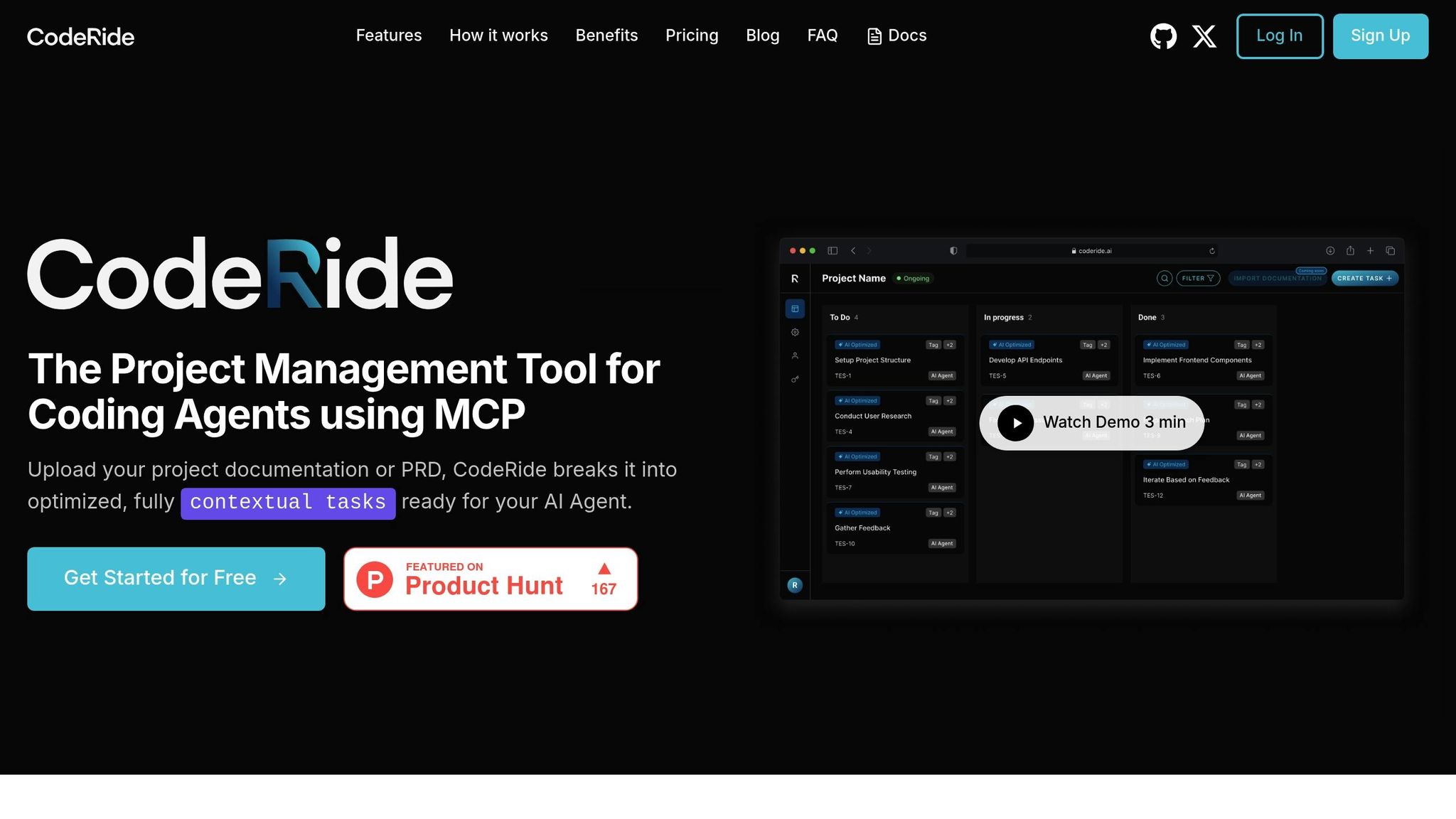
CodeRide addresses one of the biggest challenges in AI-assisted coding: context loss. Unlike traditional AI tools that only work with snippets or single files, CodeRide keeps track of your entire codebase. This means every suggestion it provides aligns with your project's architecture, dependencies, and coding standards.
By understanding the full project context - like structure, dependencies, and design patterns - CodeRide generates smarter, conflict-free code. This not only reduces debugging time but also speeds up your overall development process. Its task optimization feature ensures that AI recommendations are fine-tuned to your specific project, making them both precise and relevant.
Another standout feature is CodeRide's token economy system. This approach intelligently manages how much context is processed at once, ensuring the AI remains efficient without sacrificing its understanding of your project. You get the benefits of large-scale context management without the typical performance trade-offs.
To top it off, CodeRide integrates seamlessly with popular development tools, making it easy to incorporate into your existing workflow.
IDE Integration
One of CodeRide’s strengths is its ability to blend into the tools you already use. With native integration into industry-standard IDEs, you don’t need to overhaul your workflow or learn new software. Instead, CodeRide’s context-aware features enhance the tools you’re already comfortable with.
Using Model Context Protocol (MCP), CodeRide brings autonomous development capabilities right into your IDE. This means you can execute tasks, debug, and get AI-driven suggestions without switching applications or losing focus.
The system is smart enough to track your open files, recent edits, and your project’s overall structure. For example, if you’re troubleshooting a bug in one module, CodeRide understands how that module interacts with the rest of your codebase. It provides targeted suggestions while identifying potential side effects elsewhere in the project.
What’s more, CodeRide remembers your project’s state as you move between files, switch branches, or return to work after a break. This eliminates the need to constantly re-establish context, saving you time and effort.
Context Management Comparison
Here’s how CodeRide stacks up against other methods of managing context:
| Approach | Context Scope | Integration Level | Persistence | Learning Capability |
|---|---|---|---|---|
| CodeRide Platform | Full project awareness | Native IDE integration | Cross-session memory | Learns coding patterns |
| Manual Context Loading | Limited to snippets | Copy-paste workflow | Non-persistent | No adaptive learning |
| Basic Memory Banks | Recent conversation history | Minimal integration | Session-based only | Limited pattern recognition |
| Traditional AI Assistants | Active file only | Plugin-based | Non-persistent | Generic suggestions |
The table highlights the gaps in traditional approaches. Manual context loading requires developers to repeatedly provide background details, which disrupts workflow and can lead to inconsistencies. Basic memory banks offer some improvement but lose crucial project context between sessions. Meanwhile, traditional AI assistants focus on immediate tasks, often ignoring broader project implications, which can result in errors elsewhere in the codebase.
CodeRide overcomes these challenges by maintaining persistent project awareness across sessions. It learns from your coding habits and project structure, becoming more accurate and helpful over time. This means less time spent explaining your project to the AI and more time building features. The result? Faster development cycles, fewer errors, and better overall productivity.
Real Examples and Workflow Integration
Let’s look at how context-aware AI, like CodeRide, can transform coding workflows. By eliminating the need to repeatedly explain project details, it shifts from being just a tool to becoming a true coding partner. On top of that, CodeRide's ability to align with team standards and integrate seamlessly into workflows makes development smoother and more efficient.
Reducing Repetition and Maintaining Continuity
One of the most frustrating aspects of using traditional AI coding tools is having to constantly reintroduce your project’s structure, coding patterns, and business logic. This constant restarting disrupts focus and wastes valuable time.
CodeRide solves this with its persistent context feature. It remembers the details of your project, so you don’t have to repeat yourself. Let’s say you’re working on a feature over several days. When you come back to it, CodeRide already knows your project’s architecture, the coding patterns you’ve been using, and even your naming conventions. This continuity ensures that its suggestions are consistent with your coding style, allowing you to focus on building rather than explaining.
Following Architecture Standards and Team Rules
CodeRide doesn’t just stop at understanding your project; it also helps enforce team coding standards. Whether your team has a specific error-handling method or a unique naming convention, CodeRide incorporates these rules into its suggestions. This consistency reduces the need for tedious manual corrections and helps junior developers stay on track with team practices. For senior developers, this means less time spent on routine tasks and more time for high-priority work.
Best Practices for Workflow Integration
To make the most of a context-aware AI tool like CodeRide, it’s important to integrate it thoughtfully into your workflow. Here are some tips to get started:
- Connect CodeRide to your IDE and organize your repository with clear structures. This improves its ability to understand your project and makes adoption smoother.
- Start small. Use CodeRide for routine tasks like generating boilerplate code, creating test cases, or handling basic CRUD operations. Once you’re comfortable, you can expand its role to more complex tasks like architectural planning or code optimization.
- Set clear context boundaries. Focus CodeRide’s suggestions on critical files and directories. Regular updates to the platform about major project changes will also keep its assistance relevant and effective.
- Streamline onboarding. New team members can use CodeRide’s understanding of your codebase and standards to get up to speed faster. This reduces the mentoring load on senior developers and simplifies code reviews.
Conclusion: Managing Context in AI-Assisted Development
Context loss has long been a stumbling block in AI-assisted coding, but the tools to tackle it are finally within reach. By identifying the root causes and applying effective strategies, developers can move from frustrating, repetitive explanations to smoother, more productive collaboration with AI.
Key Solutions Summary
There are three primary ways to address context loss. First, memory optimization techniques allow AI tools to retain critical information across sessions. Second, advanced contextual understanding models enhance the AI's ability to grasp project structures and coding patterns. Finally, Retrieval-Augmented Generation (RAG) and context pipelines act as a bridge between your codebase and AI suggestions, ensuring recommendations are both relevant and accurate.
Take CodeRide as an example: its persistent context feature and seamless IDE integration directly address the limitations of traditional AI tools.
On the technical side, limited context windows are managed through intelligent chunking and prioritization. Persistent memory ensures continuity across multiple sessions, and balanced information flow prevents both overload and gaps in communication, maintaining effective AI support throughout the development process.
These strategies pave the way for noticeable improvements in both productivity and the quality of software development.
Benefits of Context-Rich Development
With these technical advancements in place, the advantages of context-rich development become evident. Solutions that address context loss not only improve productivity but also reshape the entire coding experience. Developers spend less time repeating themselves and more time diving into meaningful work. Productivity increases as onboarding becomes quicker and repetitive tasks are minimized. Code quality improves with consistent adherence to team standards and project architecture. Workflow efficiency grows as developers focus on solving creative challenges rather than explaining basic project details.
For teams, context-aware AI tools are a game changer. Junior developers can use the AI’s knowledge of established patterns to produce better code more quickly, while senior developers can dedicate their efforts to high-level decisions and solving complex problems. Meanwhile, the AI handles routine tasks with a clear understanding of the project.
This shift from context-poor to context-rich AI assistance is transformative. Instead of viewing AI as just a smart autocomplete, we can now treat it as a true collaborator - one that understands projects, respects team standards, and contributes meaningfully to development goals. This evolution makes AI-assisted coding not only more efficient but also more collaborative and impactful.
FAQs
How does persistent memory in AI code assistants help improve coding workflows?
Persistent memory in AI code assistants transforms how developers work by retaining details from previous interactions, including project specifics and code snippets, even across multiple sessions. This eliminates the hassle of repeatedly explaining context and helps cut down on context loss when switching tools or working with teammates.
With a steady grasp of the project, the AI delivers more precise and relevant suggestions, speeding up development and reducing errors. This approach not only enhances developer efficiency but also creates a smoother, more dependable coding experience.
What challenges does context loss in AI code assistants pose, and how can developers overcome them?
Context loss in AI code assistants can throw a wrench into your workflow. It often leads to incomplete or off-target code suggestions and makes it tougher to keep track of essential project details - especially when you're switching between tasks or picking up work after a break. This can slow down progress and even introduce errors into your code.
To tackle this, there are a few practical steps you can take. First, use tools that focus on memory optimization to ensure the assistant retains context over time. Second, integrate AI assistants with IDEs that are built to handle context management smoothly. Lastly, keep thorough documentation or logs to record key details and decisions. These approaches can minimize interruptions, enhance the accuracy of suggestions, and create a more efficient coding experience.
How does Retrieval-Augmented Generation (RAG) improve AI code assistants when working with large codebases?
Retrieval-Augmented Generation (RAG) takes AI code assistants to the next level by integrating external knowledge sources, like code summaries or vector databases, to deliver relevant context during code generation. This method allows the AI to zero in on the most critical parts of a large codebase instead of sifting through the entire repository. The result? Improved accuracy and greater efficiency.
By cutting down on computational demands and ensuring the AI accesses the right context precisely when needed, RAG makes managing complex projects more seamless. This approach not only enhances productivity but also brings a new level of reliability to coding workflows.
Ready to transform your AI development workflow?
Experience seamless AI development with CodeRide. Eliminate context reset and build better software faster.
Share this article