
Top Use Cases for Context-Aware Code Suggestions
Explore how context-aware code suggestions enhance development by improving code quality, speeding up onboarding, and ensuring team collaboration.

Quick navigation
Context-aware code suggestions are transforming how developers write and manage code. Unlike basic autocomplete tools, these advanced systems analyze your entire project, understand dependencies, and suggest code tailored to your goals. Here’s what they excel at:
- Faster Feature Development: Suggests complete code blocks that integrate seamlessly with your project.
- Consistent Coding Standards: Enforces team conventions like naming styles and patterns in real time.
- Error Prevention: Flags potential issues like syntax errors, outdated methods, and integration conflicts as you code.
- Smooth Onboarding: Helps new team members understand project structure and coding practices faster.
- Effortless Refactoring: Automates updates across your codebase, ensuring consistency and reducing manual errors.
- Improved Collaboration: Promotes shared standards and provides relevant documentation for smoother teamwork.
These tools integrate directly into popular IDEs like VS Code and IntelliJ, offering real-time, context-aware suggestions without disrupting your workflow. By reducing coding errors, saving time, and improving team alignment, they’re becoming essential for modern software development.
Quick Summary: Context-aware code suggestions save up to 30% of coding time, reduce errors by 20-30%, and ensure consistent, high-quality code across teams.
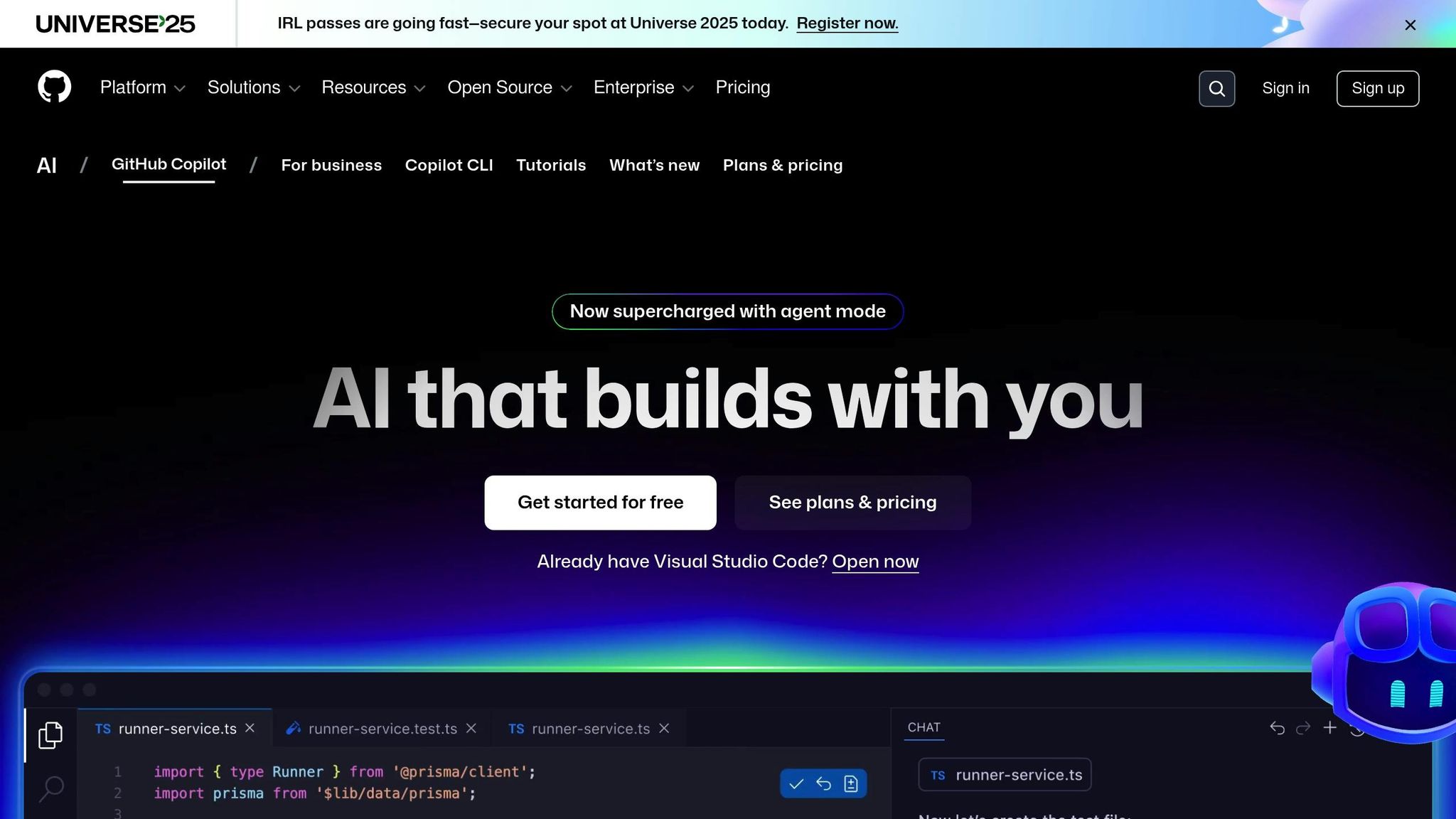
Yes, GitHub Copilot knows about your whole codebase
1. Fast Prototyping and Feature Development
When you're building new features or experimenting with ideas, time is of the essence. Context-aware code suggestions can completely reshape this process by not only understanding what you're typing but also grasping what you're trying to achieve across your entire project. These tools generate complete, ready-to-use code blocks that seamlessly integrate into your existing structure.
For instance, if you're adding a payment processing feature to an e-commerce platform, a context-aware system doesn't just suggest generic code. It recognizes your existing user authentication and order management modules. Then, it offers code that ties payment logic to these components - like auto-generating function calls to update order statuses and log transactions - all while sticking to your established patterns and conventions[2][3].
Project-wide Context Awareness
Unlike basic autocomplete tools, these systems go deeper by analyzing your entire codebase. They consider files, dependencies, and patterns to propose code that fits perfectly with your project's interfaces and data structures. This approach minimizes integration headaches and ensures new features align with your project's standards. Tools like CodeRide take it a step further, retaining awareness of your architectural decisions and coding patterns across sessions, so you don't have to explain the same context repeatedly.
Error Reduction and Code Quality
These tools don't just save time - they also improve your code. By offering contextually accurate suggestions, they help you avoid typos and syntax errors. Even better, they recommend robust coding patterns and flag potential issues before they become problems. This means you get cleaner code from the start, cutting down on debugging and rework. Studies even show that developers using these tools can complete common tasks 30–50% faster[2][3]. It's a win-win: faster development without sacrificing quality.
Integration with Existing Workflows
One of the best parts? These tools integrate directly into popular IDEs like VS Code and IntelliJ[3]. They work in the background, analyzing your project and offering real-time suggestions as you code. There’s no need to learn new interfaces or disrupt your existing workflow. The AI assistance feels natural and unobtrusive, letting you stay in the zone without interruptions.
Support for Team Collaboration and Knowledge Sharing
The benefits extend beyond individual developers. Better code quality leads to smoother collaboration across teams. When multiple developers are working on prototypes or features, context-aware tools help ensure consistency by suggesting code that aligns with shared project conventions. They also make it easier for team members to understand and build on each other's work by surfacing relevant documentation and examples from the codebase. This is especially helpful when working on interconnected features or when team members have varying familiarity with different parts of the project.
2. Keeping Consistent Coding Styles and Standards
Maintaining a consistent coding style across a team can be tricky, especially when multiple developers are contributing to the same codebase. Context-aware code suggestions tackle this issue head-on by automatically applying your project's established patterns and standards. This ensures that every line of code aligns perfectly with the existing structure, making the development process smoother and fostering better collaboration among team members. Let's dive into how this impacts error reduction, workflow integration, and team collaboration.
Project-wide Context Awareness
Context-aware systems ensure your coding conventions are applied consistently across all suggestions. For instance, if your team uses camelCase for variables or a specific indentation style, these systems will automatically adhere to those rules in every suggestion.
CodeRide takes this a step further by retaining your project's context across sessions and contributors. Unlike traditional tools that might "forget" your standards between uses, CodeRide remembers your established coding patterns. Whether you're working on authentication today or payment processing later in the week, the AI keeps its suggestions aligned with your team's agreed-upon conventions.
Error Reduction and Code Quality
Inconsistent coding styles aren’t just an aesthetic concern - they can lead to real headaches when maintaining a codebase. Context-aware suggestions help eliminate these inconsistencies by providing code snippets that are both syntactically correct and stylistically aligned with your project's standards. Teams using this approach have reported up to a 30% drop in code review comments related to style and standards violations[5]. The result? Faster, more efficient reviews and more time to focus on functionality and logic.
Integration with Existing Workflows
These tools integrate seamlessly with popular IDEs like VS Code and IntelliJ, offering real-time suggestions that match your coding patterns without disrupting your workflow. Organizations can customize these tools to reflect their specific standards and securely connect to private code repositories, ensuring suggestions always comply with company policies[3]. This level of integration turns the AI into an extension of your team’s expertise, rather than just another tool in the box.
Support for Team Collaboration and Knowledge Sharing
When every team member receives suggestions that adhere to the same standards, it becomes much easier for new developers to get up to speed. The AI effectively acts as a mentor, guiding new team members through your coding conventions in real time. This reduces onboarding time and ensures that team members, even those working in different time zones, stay on the same page.
| Feature | Traditional Code Reviews | Context-Aware Suggestions |
|---|---|---|
| Style Enforcement | Manual, after code is written | Automatic, during coding |
| Consistency Across Team | Varies by reviewer | Uniform AI-driven standards |
| Learning Curve for New Members | Steep, requires extensive docs | Gradual, through real-time guidance |
| Time Investment | High (lengthy review cycles) | Low (prevention-focused) |
3. Easy Integration with Existing Codebases
One of the standout benefits of context-aware code suggestions is how effortlessly they blend into existing codebases, making projects feel more unified. Adding new code to an established system is often tricky, but these tools simplify the process. By understanding your entire project structure, they make the task as smooth as adding a new chapter to a well-organized book. This builds on the efficiencies already seen in fast prototyping and maintaining consistent coding styles.
Project-wide Context Awareness
Unlike older tools that lose track of your work between sessions, context-aware systems retain a complete memory of your project. They understand your codebase's structure, architectural choices, and coding patterns - no matter how many times you return to it.
Take CodeRide, for example. It offers full project context to its AI coding agents. So, if you’re working on a new payment feature for an e-commerce platform, the AI already knows how your user management system works, what security protocols you use, and which utility functions are available. This means less time spent explaining your project to the assistant and more time building.
The AI doesn’t just suggest code - it suggests code that fits naturally into your existing architecture. This prevents the inconsistencies that can make integration a headache.
Integration with Existing Workflows
These tools don’t just understand your project - they fit right into your daily routines. They integrate smoothly into popular IDEs, offering real-time suggestions without requiring developers to switch tools or learn new interfaces. They work in the background of your existing environment, analyzing relationships between files and providing intelligent, context-aware suggestions as you type.
For instance, a financial services firm used these tools to modernize a legacy Java codebase. They customized the AI to recognize their proprietary code and standards. Over three months, the firm saw integration errors drop by 22%, while developer productivity jumped 28%. They also reported that onboarding new developers became easier, and feature releases sped up[3].
The real magic lies in how these tools handle cross-file dependencies and architectural constraints. Imagine you’re updating a user authentication module. The AI can immediately flag potential issues with connected components, like session management, user permissions, or API security layers, helping you avoid costly mistakes.
Error Reduction and Code Quality
Context-aware suggestions also shine when it comes to reducing errors and improving code quality. According to Google Cloud, tools like Codey can cut code completion time by up to 30% and reduce integration errors by 20% in enterprise environments[3].
These systems are great at catching common mistakes, like using outdated methods, mismatched data types, or breaking existing API contracts. When you’re adding new functionality, the AI suggests code that aligns with your existing setup, ensuring compatibility. This proactive approach saves time by addressing potential issues before they even reach code review.
Additionally, the AI’s understanding of your project’s testing framework allows it to suggest relevant test cases and mock implementations. This ensures new code integrates smoothly into your quality assurance processes, keeping your project both functional and robust.
Support for Team Collaboration and Knowledge Sharing
Context-aware code suggestions are also a game-changer for team collaboration. They act as a shared knowledge hub, making it easier for teams to work together, even on complex legacy systems. A survey by Tabnine found that 68% of developers reported faster onboarding and smoother integration with legacy code when using context-aware AI coding assistants[5].
For new team members, this is especially valuable. The AI helps them write code that matches the team’s established patterns - even if they’re not yet familiar with the entire codebase. It captures and shares institutional knowledge that might otherwise be locked away in senior developers’ minds. So, when a new developer needs to work on a legacy system, the AI provides guidance based on proven approaches.
| Integration Aspect | Traditional Approach | Context-Aware Suggestions |
|---|---|---|
| Understanding Legacy Code | Manual documentation review | AI-guided pattern recognition |
| Cross-module Dependencies | Manual tracking and testing | Automatic dependency analysis |
| Code Pattern Consistency | Relies on code reviews | Real-time pattern enforcement |
| Knowledge Transfer | Lengthy mentoring sessions | AI-assisted learning |
| Integration Testing | Extensive manual validation | Automated compatibility checks |
With these tools, even distributed teams can maintain consistency. The AI bridges gaps between developers’ expertise and coding styles, ensuring everyone stays on the same page.
4. Reducing Coding Errors and Improving Code Quality
Context-aware code suggestions take error prevention to the next level by analyzing the entire project context. These advanced tools go beyond catching syntax errors - they consider the broader framework of your project and offer suggestions that align with established patterns and design principles. This proactive approach ensures consistent code quality throughout the development process.
In fact, such tools can reduce coding errors by as much as 30% when compared to traditional autocomplete systems[3]. According to a 2023 Stack Overflow survey, 62% of developers using AI-powered code completion reported fewer syntax and logic errors in their work[2].
By leveraging a complete understanding of the project, these tools enforce correct method signatures, adhere to naming conventions, and flag common issues like null pointer errors or off-by-one mistakes[2][3].
For instance, when dealing with date formatting in JavaScript, a context-aware AI might suggest using robust, locale-aware formatting methods instead of basic string manipulations. This prevents bugs caused by inconsistent date handling - an issue that often leads to more bug reports and longer code review cycles[2].
Project-wide Context Awareness
One of the standout features of context-aware tools is their ability to understand the entire codebase, not just the file you're working on. They account for dependencies, variable scopes, and architectural patterns, enabling them to suggest code that fits seamlessly into the existing logic. This comprehensive awareness helps minimize errors caused by overlooked dependencies or mismatched interfaces[2][3].
Additionally, these tools offer persistent memory. Unlike traditional systems that forget context between sessions, context-aware tools maintain continuity, ensuring consistent coding outcomes and reducing the likelihood of rework caused by lost AI memory[1].
Integration with Existing Workflows
These tools integrate effortlessly into modern development environments. Embedded within common IDEs and CI/CD pipelines, they flag issues in real time, allowing developers to address errors as they code[3].
They also help enforce organizational coding standards. With the ability to tailor AI models to proprietary style guides and internal codebases, these tools ensure that generated code aligns with company best practices, reducing the risk of non-compliant code making its way into the repository[3].
| Error Type | Traditional Detection | Context-Aware Prevention |
|---|---|---|
| Syntax Errors | Post-compilation | Real-time as you type |
| API Misuse | Code review or runtime | Immediate suggestion |
| Logic Errors | Testing phase | Pattern-based early warning |
| Integration Issues | Manual testing | Automatic dependency analysis |
| Style Violations | Code review | Real-time enforcement |
Support for Team Collaboration and Knowledge Sharing
These tools don't just improve individual productivity - they also enhance team collaboration. By promoting consistent coding styles and bringing organization-specific conventions into focus, they ensure that all team members, regardless of experience, follow the same standards. This standardization reduces onboarding time for new developers and fosters a more cohesive team dynamic.
Moreover, teams can track tangible improvements by monitoring metrics like pre-commit error detection rates, code review rejection frequency, debugging time, and post-release bug reports. These measurable outcomes highlight how context-aware suggestions elevate both code quality and overall team productivity[2].
sbb-itb-4fc06a1
5. Onboarding and Knowledge Transfer for New Team Members
Context-aware suggestions do more than improve code quality - they also make onboarding new developers much easier. Stepping into a new team often means navigating complex and unfamiliar codebases. These tools act as a guide, offering helpful hints about syntax and the broader project structure. By pointing out key details and entry points, they minimize confusion and help new hires get up to speed faster [4].
Project-wide Context Awareness
Context-aware systems don’t just focus on snippets of code - they understand the entire project. They map out dependencies, coding patterns, and how different modules work together. This big-picture view helps new developers quickly grasp how the pieces fit and why certain design choices were made. Tools like CodeRide take it a step further by saving project context across sessions. From architectural decisions to coding standards and project objectives, all the essential information stays at your fingertips. This means less time spent digging through documentation or asking senior team members for clarification. Instead, new hires can dive into their tasks with confidence.
Integration with Existing Workflows
One of the standout features of context-aware tools is how seamlessly they fit into existing workflows. They integrate directly into popular IDEs, so developers can get real-time suggestions without having to learn a new platform. CodeRide, for instance, works with commonly used IDEs and AI clients, ensuring that new team members can stick to tools they already know. Plus, tasks can be pre-loaded with relevant instructions and optimized context, allowing new hires to contribute meaningfully from day one.
Support for Team Collaboration and Knowledge Sharing
These tools also strengthen team collaboration by highlighting important documentation, comments, and past decisions. New developers don’t just learn what to do - they also understand why certain standards and architectural choices exist. By centralizing this context, teams reduce the need for repetitive explanations, which speeds up onboarding and simplifies knowledge transfer. Many companies have noticed that new developers are making their first successful commits faster and completing code reviews in less time [2][5]. This streamlined process not only saves time but also lowers frustration for everyone involved.
6. Automated Refactoring and Code Updates
Automated refactoring brings a powerful advantage to developers by using context-aware suggestions to analyze your entire project. It considers dependencies, patterns, and conventions to make changes smooth and efficient - whether you're renaming variables, updating APIs, or restructuring modules.
Project-wide Context Awareness
One standout feature of automated refactoring is its ability to grasp the bigger picture. For example, if you're updating an API endpoint or modifying a function signature, it ensures every related reference across your project is updated. Tools like CodeRide keep track of project context across sessions, so even large-scale updates are handled with precision [2][3].
This deep contextual understanding significantly reduces errors, making the process smoother and more reliable.
Error Reduction and Code Quality
By leveraging this project-wide context, refactoring tools help improve code quality while minimizing mistakes. Manual updates often introduce errors, but these tools analyze surrounding code, enforce style guides, and flag potential issues like edge cases. The result? Consistent naming conventions and error handling throughout your refactored code [2][3].
Integration with Existing Workflows
Modern refactoring tools are designed to fit seamlessly into your existing workflows. They integrate with popular IDEs and CI/CD pipelines, allowing automated updates and testing without disrupting your process. For instance, CodeRide works with major IDEs and AI tools, so you can make updates directly within the platforms you already use [3].
Supporting Team Collaboration and Knowledge Sharing
These tools don't just update code - they also document the changes and the reasoning behind them. This makes code reviews easier and helps new team members understand the evolution of the codebase. When updates are suggested, the system can explain why they’re necessary and how they align with your project’s architecture [5][6].
Additionally, automated refactoring tools ensure that documentation - like comments, README files, and other resources - stays in sync with code changes. This keeps your team on the same page, reduces the learning curve for new members, and preserves valuable project knowledge as your team grows. By maintaining transparency and consistency, these tools support a collaborative and efficient coding environment.
7. Task Optimization and Independent Development with CodeRide
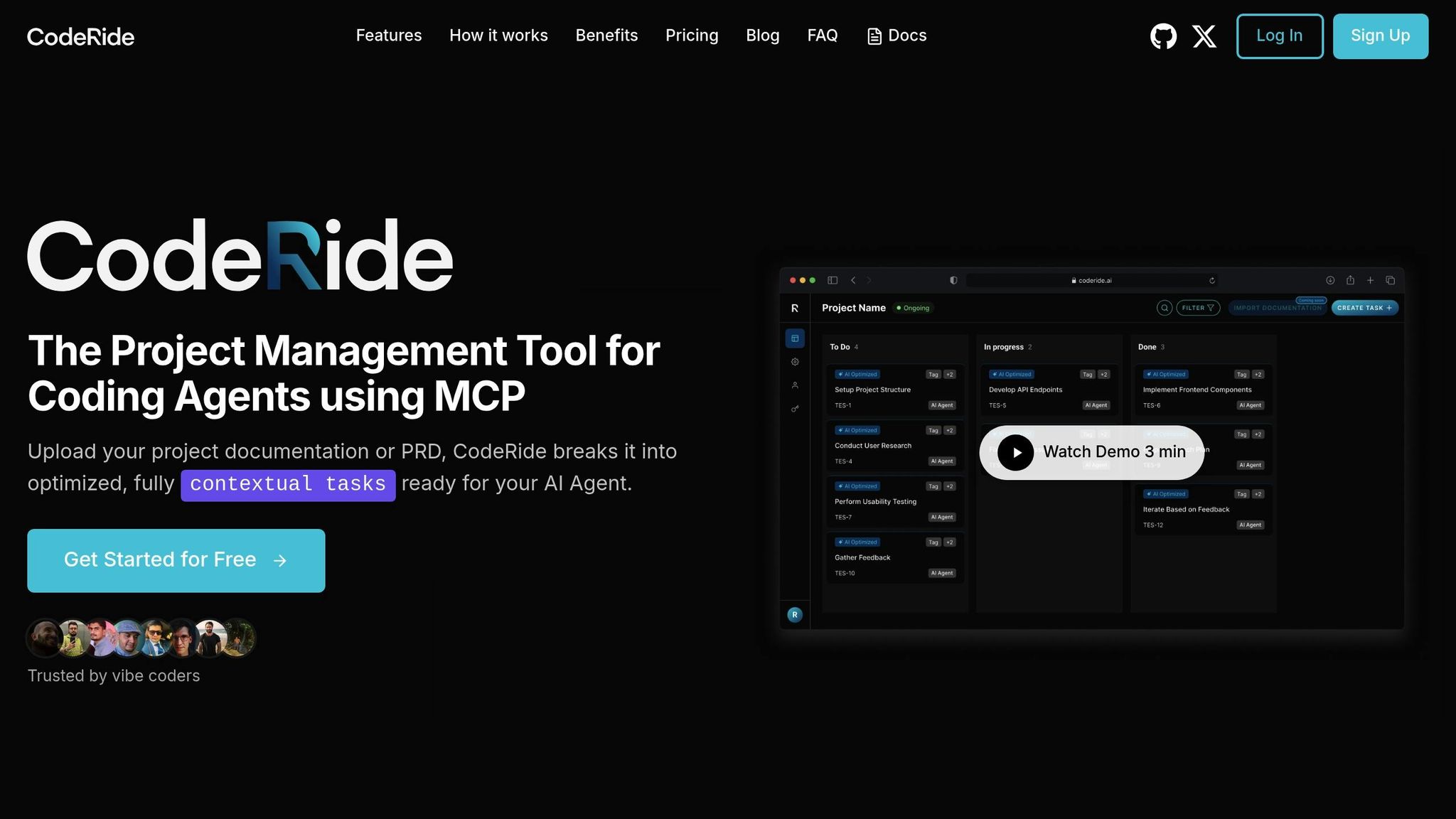
CodeRide takes task automation a step further by empowering AI agents to handle complex tasks independently, using a complete understanding of the project at hand. By providing context-driven development, it ensures seamless execution and boosts efficiency.
Project-wide Context Awareness
CodeRide uses its deep understanding of the entire project to enhance task execution. It prepares each task with well-defined instructions and optimized context. For instance, when working on a large e-commerce platform, CodeRide helps developers add new features independently by suggesting integration points, reusing existing utility functions, and spotting potential conflicts in older modules [2][3]. This thorough grasp of dependencies and design ensures that its suggestions align perfectly with the existing codebase and standards.
Error Reduction and Code Quality
By analyzing the complete codebase, CodeRide identifies potential issues like conflicting methods, redundant code, or violations of coding standards before making suggestions. This proactive approach minimizes errors such as inconsistent variable names or incorrect method usage. As the project evolves, CodeRide continuously updates its recommendations to reflect the latest standards and patterns [3].
Integration with Existing Workflows
CodeRide is designed to blend effortlessly into your current workflows. Using its Multi-Context Protocol (MCP), it integrates with popular development environments, offering context-aware suggestions without disrupting your process [1]. Its APIs and plugins provide real-time support for code generation, refactoring, and task management, all while optimizing token usage to avoid redundant context sharing [3]. With a persistent memory of the entire project structure, CodeRide allows developers to focus on solving big-picture problems while automating repetitive tasks.
Support for Team Collaboration and Knowledge Sharing
CodeRide enhances team collaboration by maintaining a shared understanding of the codebase. It highlights relevant documentation, code comments, and past decisions, helping teams stay aligned on coding standards and easing the onboarding process for new contributors. By guiding developers toward established implementation patterns, CodeRide ensures consistent results across distributed teams. Its autonomous code suggestions strike a balance between individual productivity and team-wide knowledge sharing [5].
Comparison Table
When it comes to coding assistance, context-aware code suggestions and standard autocomplete tools offer vastly different experiences. This table breaks down their key features, showcasing how they perform in areas like speed, accuracy, and integration - factors that are crucial for modern AI-assisted development.
Context-aware tools take the lead by suggesting entire code blocks that align with your project's structure and maintain workflow continuity. In contrast, standard autocomplete tools provide basic, token-based suggestions that can disrupt the coding flow and result in less precise outcomes. The differences become even more apparent when evaluating their performance on essential metrics.
| Feature | Context-Aware Code Suggestions | Standard Autocomplete Tools |
|---|---|---|
| Speed | High – suggests entire lines or blocks, keeping the workflow smooth | Moderate – offers single words or methods, which can interrupt flow |
| Accuracy | High – considers project context and developer intent | Moderate – focuses on local context only |
| Consistency | Ensures adherence to coding standards and project conventions | Limited – relies on local patterns without broader project awareness |
| Error Reduction | Minimizes common mistakes and promotes best practices | May overlook contextual errors |
| Project Adaptation | Tailored to specific codebases and organizational standards | Generic suggestions, lacking adaptation to unique projects |
| Integration Depth | Fully integrates with IDEs, version control, and collaborative tools | Basic IDE integration with fewer advanced features |
| Learning Capability | Analyzes entire codebases, including custom libraries and patterns | Limited understanding beyond language syntax and local context |
The table underscores how context-aware tools provide a more seamless and intelligent coding experience by deeply integrating with your project's ecosystem.
These tools go beyond surface-level suggestions. They analyze the entire codebase, including custom libraries and domain-specific logic, to produce precise, contextually relevant recommendations. This approach helps prevent common errors like typos, incorrect method calls, or mismatched syntax. On the other hand, standard autocomplete tools lack this broader understanding, often leading to incomplete or inaccurate suggestions that fail to align with developer intent.
For large-scale projects where precision and consistency are critical, context-aware tools stand out as the superior choice.
Conclusion
Wrapping up our discussion on context-aware code suggestions, it’s clear these tools represent a leap forward in how developers tackle coding tasks. They go beyond basic autocomplete, offering intelligent assistance that considers your entire project environment. This shift helps developers catch common mistakes, follow best practices, and build codebases that are easier to maintain and less prone to bugs. Many teams have seen error rates drop significantly as AI-driven suggestions provide accurate, project-aligned code recommendations[2]. This is especially crucial for organizations handling complex, large-scale applications where consistency and reliability are critical.
Team collaboration also sees a boost. These tools ensure a unified coding style across contributors, regardless of skill level, while giving new developers instant, relevant guidance to speed up onboarding. The result? Noticeable productivity gains across the board.
Organizations leveraging context-aware code suggestion tools report faster development cycles, improved code quality, and more efficient teams.
Take your development process to the next level. With CodeRide, you’ll benefit from deep project context, seamless IDE integration, and AI-powered code generation designed to streamline your workflow. Let CodeRide redefine how your team approaches software development, delivering the efficiency and quality that modern projects demand.
FAQs
What makes context-aware code suggestions more effective than traditional autocomplete tools?
Context-aware code suggestions take code assistance to the next level by analyzing the broader context of your entire project, not just isolated snippets. Unlike traditional autocomplete tools that work in a more limited scope, these advanced suggestions use a comprehensive understanding of your codebase to offer smarter, more tailored recommendations.
With this expanded insight, developers can benefit from quicker task completion, intelligent code generation, and uniform coding styles across their projects. By fitting seamlessly into your workflow, these tools not only simplify development but also help minimize errors, proving to be an invaluable resource for modern programming.
How do context-aware code suggestions improve team collaboration and ensure consistent coding standards?
Context-aware code suggestions make teamwork smoother by offering smart, real-time guidance tailored to the unique needs of a project. These tools help developers create code that matches their team's established practices, cutting down on inconsistencies and boosting the overall quality of the code.
Platforms like CodeRide take this a step further by analyzing the entire codebase to ensure new code blends effortlessly with existing structures. This approach not only speeds up development but also ensures everyone on the team follows the same coding standards, creating a more unified and productive workflow.
How do context-aware code suggestions reduce errors and improve code quality in large projects?
Context-aware code suggestions simplify development by enabling AI to grasp the full scope of a codebase. This capability ensures smart code generation that blends smoothly with existing structures while sticking to consistent coding practices.
By reducing misinterpretations of the project’s context, these suggestions help avoid frequent mistakes, cut down on debugging efforts, and uphold quality standards. This is particularly useful in large-scale projects, where complexity often leads to inconsistencies or missed details.
Ready to transform your AI development workflow?
Experience seamless AI development with CodeRide. Eliminate context reset and build better software faster.
Share this article